
How To Deposit And Withdraw With DM Play ARPay And AR Wallet
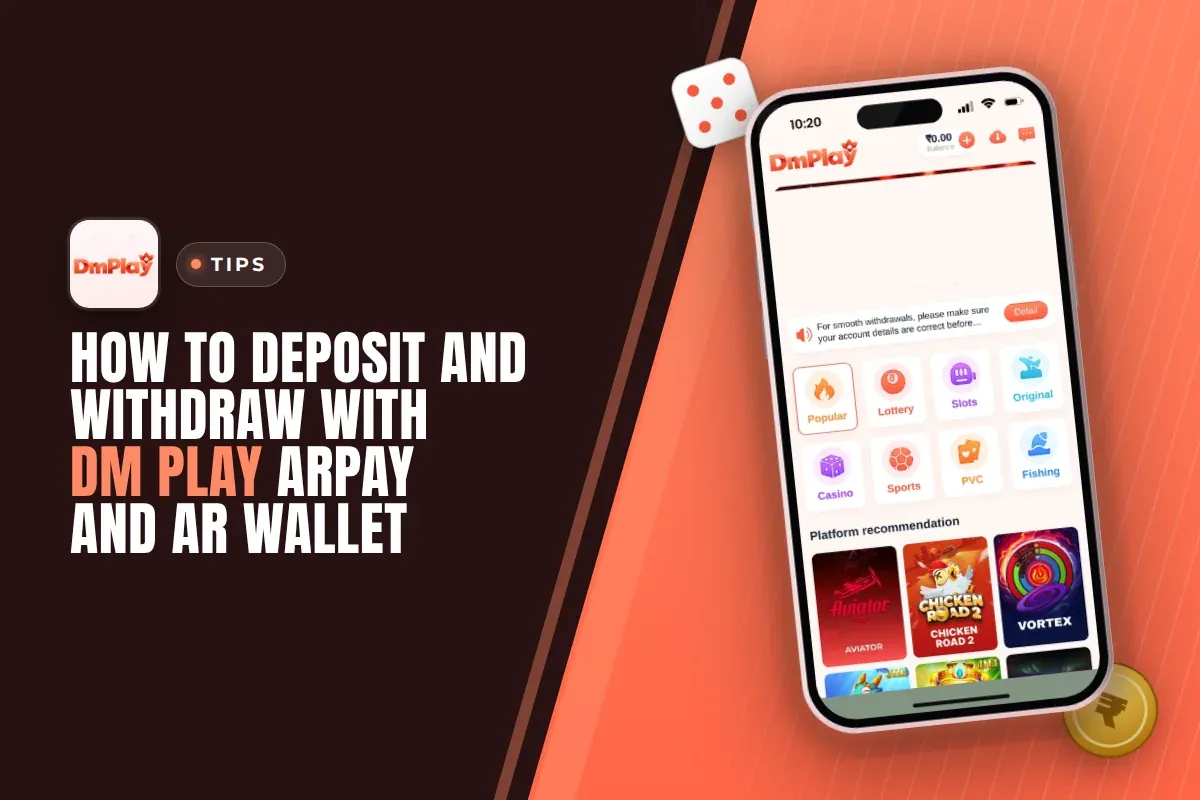
Through DM Play ARPay, players can top up their game account and withdraw winnings using AR Wallet, a third-party payment platform that runs on a digital coin called ARB. Money added from AR Wallet shows up in your game balance within about 5 seconds. To convert back to rupees, sell your ARB through UPI inside the wallet.
The main reason players switch to it is simple. Your bank account is not touched every time you add money or withdraw, so you face fewer failed transfers and bank limits. The trade-off is one extra step: you have to activate the wallet first and learn how selling ARB works.
Here you will find wallet activation, how deposits and withdrawals work, where bonus rewards fit in, and the points experienced players check before putting real money in.
- Payment Type
- Third-party ARB wallet
- Recharge Speed
- About 5 seconds
- Getting Rupees
- Sell ARB through UPI
- Withdraw Hours
- 00:00 to 23:55
Quick Menu
What Is DM Play ARPay And How Does AR Wallet Work?
ARPay is the payment option on DM Play that connects your game account to AR Wallet, a separate third-party service. Money moves between the two as ARB, a digital currency, instead of going straight to and from your bank.
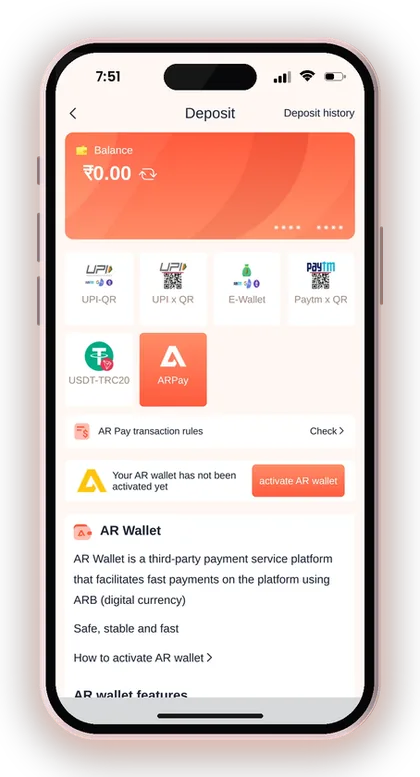
Think of AR Wallet as a middle pocket. You withdraw your game balance into it, keep it there as ARB, and sell ARB through UPI only when you actually need rupees in your bank. When you want to play again, you recharge from the same wallet.
This is why the platform says ARPay cuts down bank transaction issues. Many Indian banks flag frequent small transfers to gaming apps, and some players hit daily UPI caps. With ARPay, your bank sees only the final sale of ARB, not every deposit and withdrawal.
Is AR Wallet Part Of The DM Play App?
No, AR Wallet is a third-party payment platform, not a game feature. The DM Play app only links to it through the ARPay tab on the Deposit and Withdraw pages, and through the ARWallet shortcut on the Account page.
This matters because your ARB sits with a different service. Read the AR Pay transaction rules before you move money, and remember that game support can help with your game balance, but the wallet has its own rules for selling ARB.
What Is ARB And Do You Need Crypto Knowledge?
ARB is the digital currency AR Wallet uses to move value between your wallet and the game. You do not need to buy it on an exchange or manage a crypto address, unlike a USDT deposit.
In practice, you deal with rupees on both ends. Rupees come from your game balance and go back to your bank when you sell ARB through UPI. The common mistake is treating ARB like stored savings; treat it as money waiting to be withdrawn or played, nothing more.
How To Activate AR Wallet On DM Play
AR Wallet is activated from the ARPay tab, which you will find on either the Withdraw or the Deposit page. Until that is done, the screen says your AR wallet is not yet activated, and ARPay can't be used for deposits or withdrawals.
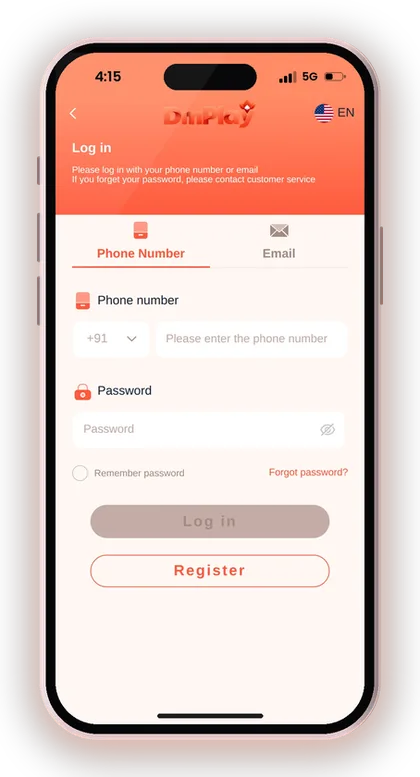
First, create your account through the DM Play register and login page. Put 216651031605 in the Invite Code field, as your registration will be rejected if that box is empty.
- Log in and tap Account at the bottom of the screen.
- Tap Withdraw (or Deposit) and open the ARPay tab.
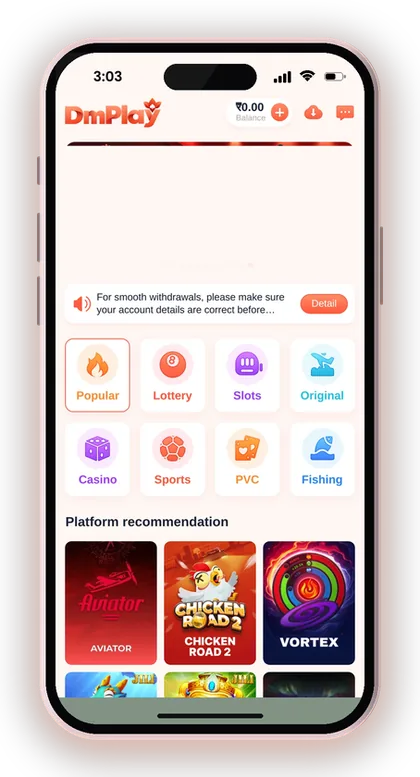
- Tap Check next to AR Pay transaction rules and read them fully.
- Tap How to activate AR wallet to see the activation steps.
- Tap Activate or activate AR wallet and follow the steps on screen.
- Come back to the ARPay tab and confirm the not-activated message is gone.
Useful Advice: Activate the wallet before you have a balance you need urgently, so a first-time setup problem does not delay your withdrawal.
How To Deposit Money Through DM Play ARPay
To deposit with ARPay, open the Deposit page, choose the ARPay tile and complete the recharge from your activated AR Wallet. The platform says the recharge takes only about 5 seconds, which is quicker than waiting on a UPI QR to confirm.
The speed is the real benefit for players who move between games during the day. Say you withdrew ₹2,000 to AR Wallet last night and want to play Win Go this evening; you can send it back to your game balance without involving your bank at all.
For other deposit methods and their steps, see the DM Play deposit page.
- Tap Account, then Deposit.
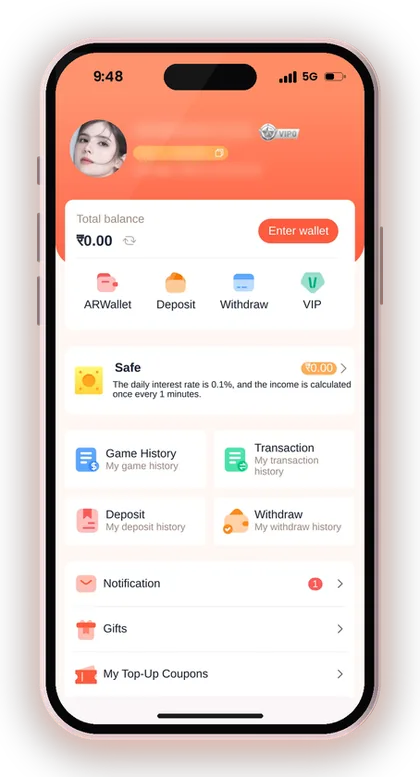
- Choose the ARPay tile.
- Enter the amount you want to add to your game balance.
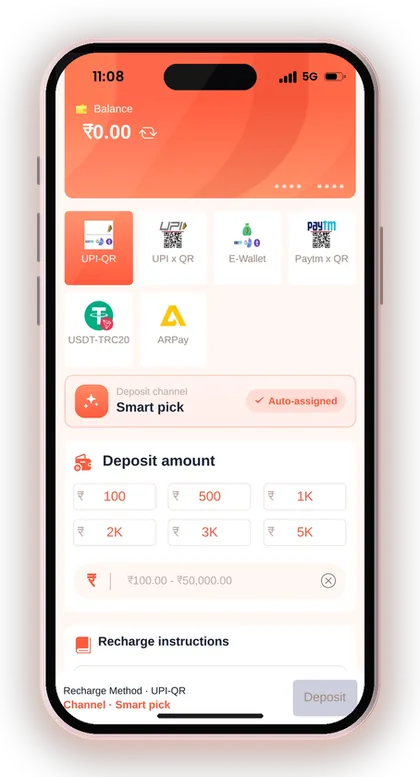
- Confirm the recharge from your AR Wallet.
- Check that your Balance has gone up before you start a game.
Where Does The ARB For A Deposit Come From?
Your ARPay deposit is paid from the ARB in your AR Wallet. Most players fill the wallet by withdrawing winnings from the game into it, which is why ARPay works best for people who play regularly.
If your wallet is empty, ARPay is not the quickest route for a first deposit. A plain UPI deposit is simpler at the start. Check the AR Pay transaction rules on screen for any other way the wallet can be funded before assuming one exists.
What To Do If An ARPay Deposit Does Not Show
First open Deposit history on the Account page and see whether the order is listed and what its status is. A recharge that should take seconds but does not appear after a few minutes needs a closer look, not a second payment.
Do not repeat the deposit hoping it pushes the first one through; you may end up with two orders to sort out. Take a screenshot of the AR Wallet transaction and contact DM Play customer care with your account ID and the time of payment.
Useful Advice: Refresh the Balance on the homepage after the recharge instead of opening a game straight away, so you know the money landed.
How To Withdraw Your Balance To AR Wallet
To withdraw with ARPay, open Withdraw, pick the ARPay tab and send your game balance to your activated AR Wallet. The withdraw screen describes ARPay as supporting UPI for fast payment, with bonuses for withdrawals.
The platform's own beginner rules say you should confirm that your total bet requirement has dropped to zero before you withdraw. If you took a bonus and its betting condition is still pending, the withdrawal will be rejected, no matter which method you pick.
You can withdraw between 00:00 and 23:55, and the Withdraw page tells you how many withdrawals remain for the day. To compare this properly with bank and UPI withdrawals, go through the DM Play withdrawal instructions.
- Tap Account, then Withdraw.
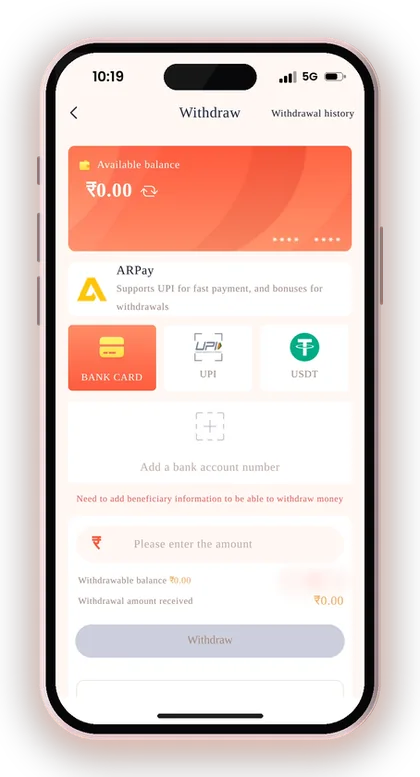
- Open the ARPay tab and make sure your AR Wallet is active.
- Check that your remaining bet requirement is zero.
- Enter the amount you want to send to AR Wallet.
- Confirm with your login password and track it in Withdrawal history.
Why Withdraw To AR Wallet Instead Of A Bank?
Withdrawing to AR Wallet keeps your money out of your bank until you are ready to use it. That means fewer incoming credits from a gaming platform on your bank statement and fewer chances of a bank holding or reversing a transfer.
It also helps if you plan to play again soon. Money in AR Wallet can come back to the game in about 5 seconds, while money already in your bank has to go through a fresh deposit. The downside is one more step when you finally need rupees.
How Many Times Can You Withdraw In A Day?
The Withdraw page shows your remaining withdrawal count for the day, and bank, UPI and USDT withdrawals each show 3 per day. Check the ARPay tab for its own count before you plan several small requests.
New players often waste their daily count on tiny amounts and then cannot withdraw a bigger win later. A better habit is to withdraw once, in one amount, after you decide to stop for the day.
Useful Advice: Never request a withdrawal at 23:50; the window closes at 23:55, so send it earlier in the day.
Selling ARB Through UPI To Get Rupees
After your balance lands in AR Wallet, you convert it to rupees by selling ARB through UPI within the wallet. The amount is then sent to your bank account over UPI, and the platform notes that selling can bring you additional rewards.
This is the step that turns ARPay into real money in your bank. Until you sell, your funds are still ARB in a third-party wallet, so do not count the withdrawal as finished when the game balance drops; count it when rupees show in your bank app.
Which UPI Details Should You Use?
Use a UPI ID that belongs to you and matches the name on your game account. On DM Play, the first payout account name gets locked, and all future withdrawal methods must use that same name, so mismatches cause trouble across the board.
If your UPI ID has not been linked yet or the bank details you gave are wrong, follow the steps to add a UPI ID or change bank details. Choosing a UPI ID that doesn't match your phone number keeps your account safer.
When Is The Best Time To Sell ARB?
Sell ARB when you actually need the rupees, not straight after every win. The platform pitches this as the main benefit: you sell to UPI only when you want to use the funds, which avoids bank limits during play.
A sensible routine is to withdraw winnings to AR Wallet, set aside what you will not play with, and sell that part in one go. Leaving everything in the wallet makes it too easy to recharge and lose it again.
Useful Advice: Keep a note of each ARB sale and the rupee amount received, so you can match it against your bank statement later.
ARPay Extra Rewards And Transaction Rules
ARPay comes with extra rewards: the withdraw screen mentions bonuses for withdrawals, and the AR Wallet description says you get additional rewards when you sell ARB through UPI. The exact rates are not fixed on the main screen, so check the current figures inside the wallet.
The AR Pay transaction rules sit behind the Check button on the ARPay tab. Read them once before your first transaction and again if anything changes; they explain how the wallet handles your ARB.
Are ARPay Rewards Worth Choosing It For?
The rewards are a nice extra, but they should not be the main reason you pick ARPay. The bigger benefit is fewer bank problems and the 5-second recharge.
A common mistake is moving money in and out just to collect the reward. Each move is another chance to make an error with amounts or details. Use ARPay because it suits how you play, and treat any reward as a small bonus on top.
What To Check In The AR Pay Transaction Rules
Look for anything about how long a sale takes to arrive by UPI, how rewards are calculated, and what happens if a transfer fails. These are the questions players most often ask support later.
If a rule is unclear, ask before you move a large amount. Testing with a small withdrawal first shows you the whole process, from game balance to AR Wallet to your bank, with little at risk.
ARPay Vs UPI Vs USDT On DM Play
ARPay is the best fit if you play often and want quick recharges with fewer bank problems; direct UPI is simpler for occasional players; USDT suits people who already use crypto. Each method has a different setup and a different pace.
Direct UPI withdrawals have a ₹50,000 maximum per request, which is where ARPay helps players who move larger sums. For every method's minimums and maximums side by side, see the DM Play minimum deposit and withdrawal limits.
| Point | ARPay / AR Wallet | Direct UPI | USDT |
|---|---|---|---|
| Setup | Activate AR Wallet once | Bind UPI ID | Add a TRC USDT address |
| Deposit speed | About 5 seconds | Depends on the UPI order | Depends on blockchain |
| Withdrawal reaches | AR Wallet as ARB | Your UPI-linked bank | Your USDT wallet |
| Getting rupees | Sell ARB through UPI | Direct to bank | Sell USDT separately |
| Extra rewards | Yes, on withdrawals and sales | Not shown | Not shown |
| Best for | Regular players | New or casual players | Crypto users |
Useful Advice: Start with direct UPI for your first deposit, then switch to ARPay once you have a balance to withdraw.
Safety Tips Before You Use DM Play ARPay
The safest way to use ARPay is to activate it only from inside the DM Play app or the official website, and never through a link someone sends you. Scammers often copy wallet screens to steal OTPs and balances.
A DM Play hack simply doesn't exist. Apps that promise to predict outcomes or hand out free ARB are scams. Every game result is completely random. Only users aged 18 and above should use the platform, and playing with real money can actually cost you your deposit, so fix a limit that you are comfortable losing.
- Your UPI name matches the name locked on your first payout account.
- Your bet requirement is zero before you request a withdrawal.
- Keep your OTP to yourself at all times, including when someone claiming to be from support asks for it.
- You use a strong login password and change it from Settings if in doubt.
- You test with a small amount before moving a large balance.
- You keep screenshots of every AR Wallet transaction.
Useful Advice: More payment help is available in the DM Play blog, including bank and UPI setup.
Doubts Cleared Here
What is ARPay on DM Play?
ARPay is a payment method connecting your game account with AR Wallet, an outside service that runs on the digital currency ARB. It lets you top up your balance from the wallet and send your withdrawals into it.
How do I activate AR Wallet?
Go to Withdraw or Deposit, pick the ARPay tab and tap Activate. Complete the steps listed under How to activate AR wallet, then confirm that the not-activated message is no longer showing.
How fast is an ARPay deposit?
According to the platform, a recharge through AR Pay takes just about 5 seconds. If the amount has not appeared, look at Deposit history first before you get in touch with customer service.
How do I get rupees from AR Wallet?
Inside AR Wallet, sell your ARB through UPI and the rupees are credited to your bank. The platform adds that selling can earn you additional rewards.
Do I need an invite code to use ARPay?
An invite code is compulsory for creating an account. Type 216651031605 into the Invite Code field when you fill in the registration form.
What are the withdrawal hours for DM Play?
You can place withdrawal requests from 00:00 to 23:55. The Withdraw page displays the number of withdrawals still available to you that day.
Why is my ARPay withdrawal blocked?
The most common reason is an unfinished bet requirement from a bonus. Make sure your total bet requirement is zero and that your account details are correct.
You May Also Like
DM Play deposit steps for UPI, USDT and ARPay, with the ₹100 minimum, ₹50,000 UPI limit, exact-amount rules and what to do if money is not credited.
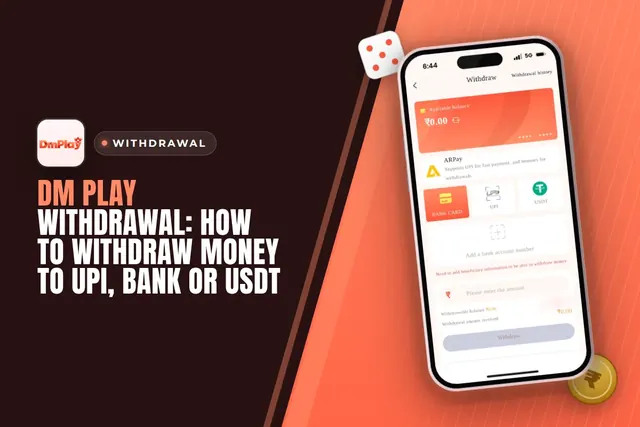
Cash out from DM Play via UPI, bank card, USDT or ARPay. See the ₹110 minimum, 3 requests daily limit, 00:00-23:55 timing and fixes for common issues.

Find DM Play customer care under the Account tab, see what details to share for deposit or withdrawal issues, and how to avoid fake contacts.
DM Play add UPI steps: fill in the UPI name, phone and UPI ID correctly, see why the first payout name is locked, and fix wrong bank or IFSC details.
Ready To Play On DM Play?
Register on DM Play in a minute and explore the games and offers.