
DM Play Register: How To Create Your Account Step By Step
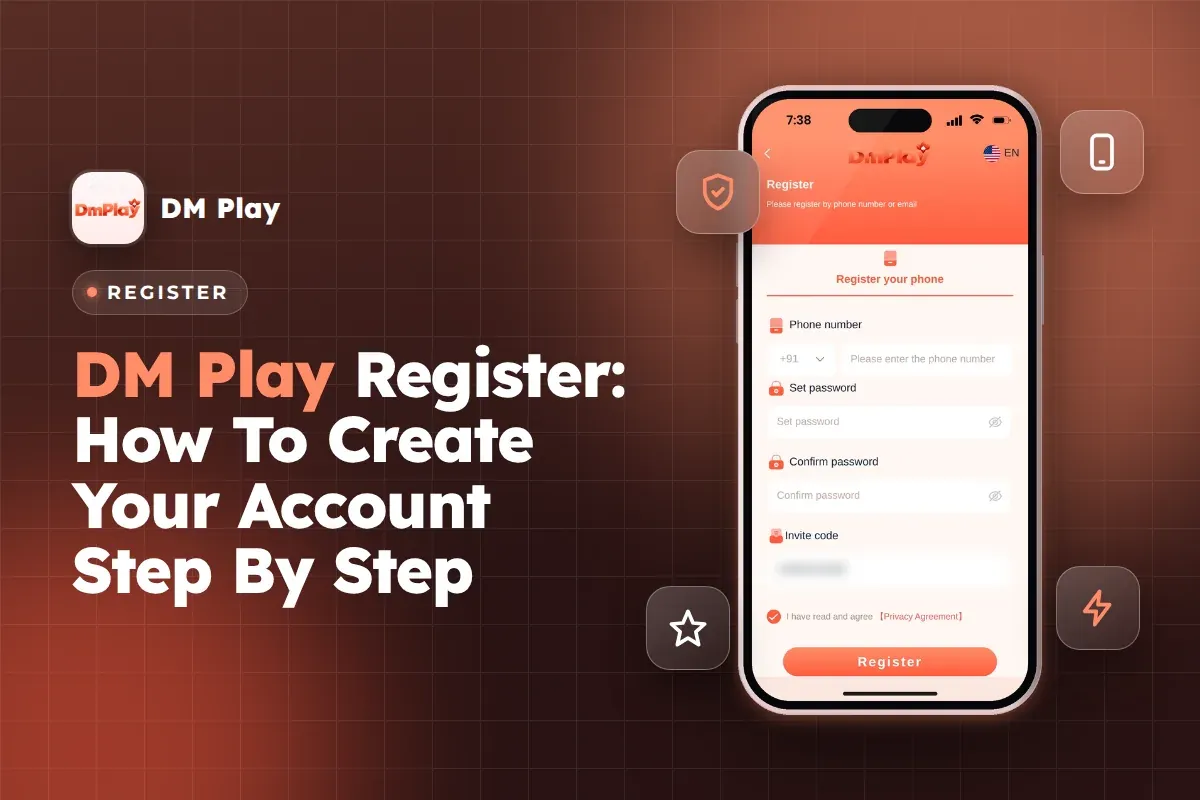
The DM Play register form is quick. Enter an Indian mobile number or an email, set a password and confirm it, add the invite code 216651031605, and accept the Privacy Agreement. You can't submit without the invite code, as that box must be filled.
Two choices on that form matter more than they look. The number you register with should be the one you use for UPI. The password should be one you will remember, because you need it every time you log in and every time you withdraw money.
Here you will find the exact registration steps, what each field is for, the slips that most often hold up new users, and what to set up within ten minutes of your account going live. DM Play accepts only users who are over 18.
- Invite Code
- 216651031605
- Sign-Up Options
- Phone number or email
- Country Code
- +91 India
- Password Length
- 6 characters
- Minimum Age
- 18 years
- Withdrawal Name
- Locked after first save
Quick Menu
How To Register On DM Play: Step-By-Step
To register, open DM Play, tap Register on the homepage, and fill in your phone number, password and invite code 216651031605. The phone field already shows +91 India, so you only type your own 10-digit mobile number.
The whole form is on one screen. Fill it from top to bottom, check the code before you tap the final button, and keep your phone unlocked so nothing gets cleared halfway.
- Open the DM Play website or app and tap Register.
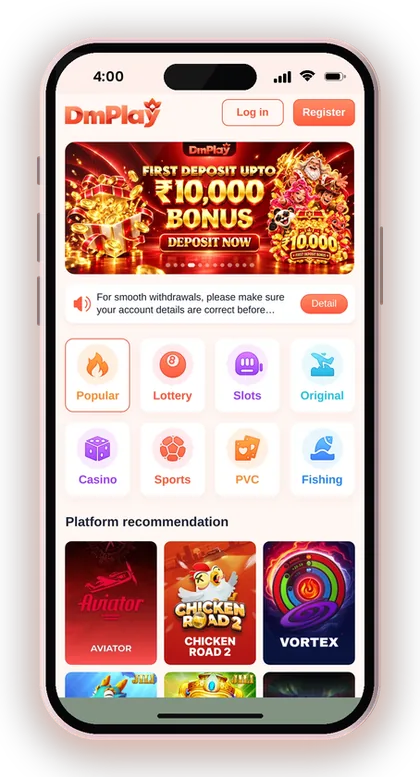
- Remain on the phone tab and enter your 10-digit mobile number beside +91 India.
- Set a password of 6 characters that you will remember.
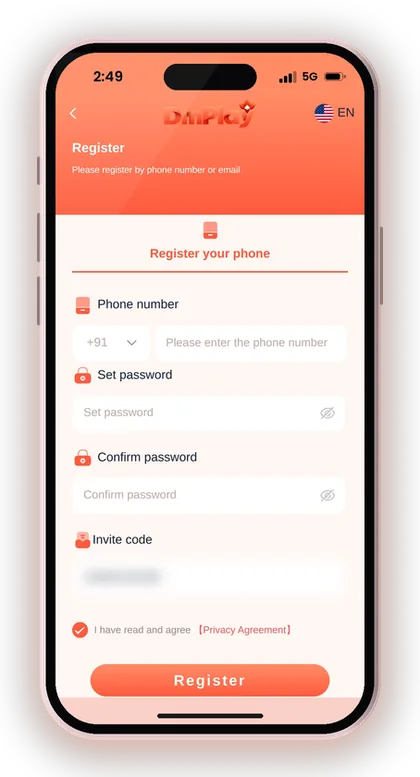
- Type the same password again in the box meant for confirmation.
- Enter 216651031605 in the Invite code field.
- Check the box saying you have read and accept the Privacy Agreement.
- Press Register, then sign in using that same number and your password.
Where Do You Find The Register Button?
The Register button sits on the homepage before you log in, right beside Log in. You will also reach it from the Account tab at the bottom if you are not signed in.
If someone else is already logged in on that phone, you will see their Balance instead of Register. Log out from the bottom of the Account page first, otherwise you may end up depositing into the wrong account.
What If The Form Shows An Error After Tapping Register?
An error after tapping Register almost always points to one field. The usual causes are two passwords that do not match, the agreement box left unticked, or an invite code with a missing digit.
Correct only the field the message points to, and avoid reloading the page, since a reload can erase all you typed. If the number is already registered, an account exists for it, so use Forgot password rather than trying again.
Useful Advice: Copy the invite code and paste it instead of typing it, then read the 12 digits once more before you tap Register.
What You Need Before You Sign Up
Keep these ready: an Indian mobile number or an email you can access, a password, the invite code 216651031605, and proof that you are 18 or above. The form itself doesn't ask you to upload any document.
Players who rush tend to forget the last item on this list. Your bank account or UPI name gets locked later, so it helps to decide now which bank account you will actually use for withdrawals.
Having everything ready means you finish in one go. Half-filled forms are where wrong digits and forgotten passwords come from.
- A mobile number you own and use for UPI, or an email you can log in to
- A 6-character password that you do not use on your bank or email
- The invite code 216651031605 copied and ready to paste
- Age 18 or above
- Your full name exactly as it appears on your bank account
DM Play Invite Code: Why You Cannot Skip It
The DM Play invite code is a required field on the Register form, and the code to enter is 216651031605. Without a code in that box, the account cannot be created.
This code ties your fresh account to an inviter through the platform's promotion program. Anyone joining via an invitation link or by entering a code by hand becomes a level 1 member in that inviter's team. Your balance, your games and your withdrawal rules stay unaffected.
For a full explanation of how codes, links and team levels work, see the DM Play invite code details page.
Which Invite Code Should You Enter?
Enter 216651031605 in the Invite code field. It is a 12-digit number with no letters or spaces, so if the box shows anything else, clear it and paste again.
A common slip is copying an extra space at the end from WhatsApp or a notes app. The code then looks right on screen but fails. Tap at the end of the field and delete once if you are unsure.
Can You Add An Invite Code After Registering?
No, the code has to go in during sign-up. The Account page has settings for your password, deposits and withdrawals, but there is no box to attach an invite code once the account exists.
That is why it pays to check the field before tapping Register. Creating a second account just to change the code breaks the platform's one-reward-per-person rules and can cost you any bonus you earn.
Phone Number Or Email: Which Should You Register With?
You can sign up on DM Play with a phone number or an email ID, and the login page takes either one. Most Indian users will find the phone number simpler.
Your sign-up choice becomes your login ID. If you register by email, you log in by email; mixing them up later is the reason many people think their account has vanished.
Why Phone Number Sign-Up Suits Most Players
A phone number keeps your account, your UPI and your bank details tied to one identity. When you later add UPI for withdrawals, the form asks for your real mobile number anyway.
Using the same number everywhere makes support requests simpler too. Customer Care can match your account faster when the number you give them is the one you registered with and the one your money comes from.
When Email Registration Makes Sense
Email works if you share a phone with family or change SIM cards often. Your login stays the same even if the number changes, which avoids losing access after a new connection.
The trade-off is one more thing to remember. Write down which email you used, because typing a different address on the login page will simply show a wrong account or password message.
Choosing A Password For Your DM Play New Account
The Beginner's Guide inside the app asks for a 6-character password when you create a DM Play new account. You type it once in Set password and again in Confirm password.
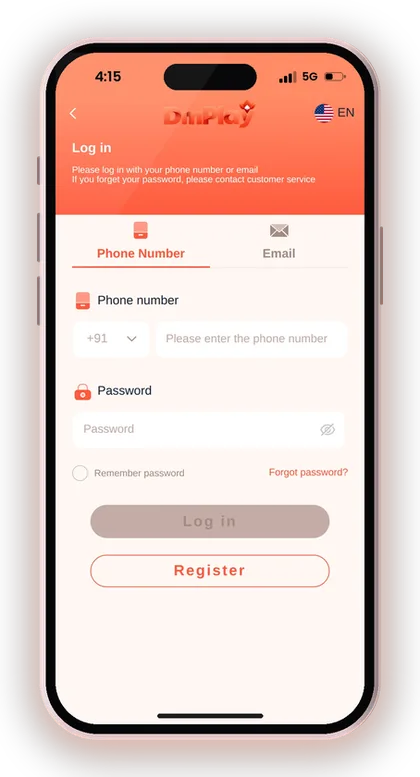
Your password has a bigger role than unlocking the app. The withdrawal form also asks for the login password, so whoever knows it could attempt to take out your balance. Don't reuse your UPI PIN, bank password or date of birth.
A mix of letters and numbers that means something only to you works well. Save it in your phone's password manager, then log in once on the DM Play login page to confirm it works before you deposit.
How To Change Your Password Later
Go to Account, tap the Settings icon, then pick Login Password. Type your current password, key in the new password twice, and press Save Changes.
Change it straight away if you ever typed it in front of others or on a shared device. It takes under a minute, and doing it before a problem starts is far easier than recovering a hijacked account.
Forgot Your Password Right After Signing Up?
Tap Forgot password? on the login screen and follow the steps to set a new one. If that does not work, contact customer service, which the login page itself recommends.
Do not register again with another number to get around it. A second account splits your history and can lead to bonus cancellation under the duplicate account rules.
What To Do Right After You Register
Right after registering, log in, add your bank account or UPI with your real name, and only then think about your first deposit. Doing it in this order prevents most withdrawal problems later.
New players often deposit first and add bank details only when they want to withdraw. That is when a typo in the name or IFSC code turns into a long support chat.
- Log in with the number or email and password you just set.
- Open Account, tap Withdraw and add your bank account or UPI with your real name.
- Download the app if you prefer it to the browser.
- Read the bonus rules on the Activity page before claiming anything.
- Make a small first deposit and confirm it shows in your Balance.
Why Your Bank Account Name Gets Locked
When you add your first withdrawal account, the full recipient name locks once saved. Every withdrawal method you add later, whether bank card, UPI or USDT, must use that same name.
So type the name exactly as your bank shows it, including middle name and spelling. A nickname or short form can block every withdrawal you try, and fixing it means going through customer service.
Should You Claim New Member Bonuses Straight Away?
Check the rules first. New member rewards depend on deposits and valid bets; for example, one tier gives ₹2 after one day with deposits of ₹200 or more and ₹1,000 in valid bets.
Those amounts are small compared to the betting required. Read each offer on the DM Play bonus offers page and claim only what fits the budget you already planned to play with.
Useful Advice: While linking your UPI account, don't set your mobile number as the UPI ID. The app cautions that this may make you vulnerable to fraud.
Register On The DM Play App Or The Mobile Website?
Either option works for registration, and a single account is valid on both. To get the app, press the download icon at the top right, or pick Add to Desktop to create a shortcut on your home screen.
It is perfectly fine to begin on the mobile website. Many users sign up in the browser, check that the account works, and install the DM Play app download later. There is also a Download App Free Rs. 28 offer listed under Activity, so read its terms after installing.
Always start from the DM Play official website rather than a link from an unknown group. The platform itself asks players to use the official DMPLAY website only, because copy sites can steal what you type into the form.
Useful Advice: Before typing your password, check the address bar shows the official DMPLAY site you saved, not a lookalike spelling.
Common DM Play Register Problems And How To Fix Them
Most failed sign-ups come from a handful of small slips, not from anything wrong with your phone or network. The table covers the ones new players hit most often.
If none of these match your problem, contact Customer Service from the app and describe exactly what you typed and what message you saw. A screenshot of the error saves a lot of back-and-forth.
| Problem | Likely Cause | What To Do |
|---|---|---|
| Register button does nothing | Agreement box not ticked | Tick I have read and agree, then tap Register again |
| Password error | Two password boxes do not match | Retype both slowly; check caps and spaces |
| Invite code rejected | Missing digit or extra space | Clear the field and paste 216651031605 again |
| Number already registered | An account exists on that number | Use Forgot password instead of signing up again |
| Cannot log in after sign-up | Wrong tab chosen (phone vs email) | Pick the same tab you used to register |
| Someone asks for your OTP | Fake support contact | Do not share it; contact Customer Service from the app |
One Account Per Person: Duplicate Account Rules
One person can keep just one account. Under the reward terms of the platform, a single phone number, email address, payment method or IP address can receive the reward only once.
Claiming the same bonus again and again can lead the company to cancel those rewards. If it finds bonus abuse, the account and its balance may be frozen too, a loss far bigger than any extra reward.
Can Two People Register On One Phone?
Two people can technically sign up from one phone, but rewards are limited per phone, IP address and payment method. A second family member may find their bonus claims refused or later cancelled.
If someone at home also wants to play, it is safer for them to use their own phone, number and bank account. Shared Wi-Fi is common in Indian homes, so ask Customer Service first if you are unsure.
Why A Second Account Rarely Helps
Players usually create a second account to grab a new member offer again or to change the invite code. Both run straight into the once-per-person rule.
The risk is lopsided: the extra bonus is small, while a frozen account can lock your whole balance. Keep one account, protect its password and grow its history instead.
Staying Safe When You Create Your DMplay Account
Three habits keep registration safe: use only the official site or app, never reveal an OTP, and keep your password to yourself. The app's security notice also cautions against paying or giving OTPs to strangers who claim to be support staff.
Results in Win Go, K3, 5D and other games are random. Any page promising a winning pattern is selling something you should not buy, especially before you have even made your first DM Play deposit by UPI.
Is There A DM Play Hack For New Accounts?
No, there is no working DM Play Hack. Apps and Telegram channels selling one are scams that either take a fee or ask for your login details and empty your balance.
Some even ask you to register through their own link and deposit first. If anyone asks for your password, OTP or money to unlock results, block them and report it to Customer Service.
Play Within A Fixed Budget From Day One
Before making your first deposit, fix an amount you can afford to lose, and regard it as money spent on entertainment rather than an investment. The platform also notes that gambling can turn addictive and urges players to play responsibly.
Fix a daily limit and quit once you reach it, whether you are winning or losing. Real-money gaming involves genuine risk, and the rules about it vary across Indian states.
Useful Advice: Registration is open only to those aged 18 or above. When playing no longer feels enjoyable, pause and move away from the app.
Doubts Cleared Here
Can I register on DM Play without an invite code?
No, the Invite code box on the Register form must be filled, and without it your account won't get created. Enter 216651031605 there.
What details do I need for DM Play sign up?
You need an Indian mobile number or an email, a password typed twice, and the invite code 216651031605. You also tick the Privacy Agreement box and must be 18 or older.
Can I register with email instead of a phone number?
Yes, you can sign up using your phone number or your email, and the login page works with either. Remember which one you chose, because that becomes your login ID.
How long should my password be?
The in-app Beginner's Guide asks for a 6-character password. Choose one you do not use for your bank or email, since the same password is needed when you withdraw.
Can I change my bank account name after registering?
Once your first withdrawal account has been saved, the holder name is fixed, and any withdrawal method added afterwards has to carry that very same name. In case of a mistake in the name, reach out to customer service instead of creating a fresh account.
I forgot my password right after registering. What now?
Choose Forgot password? on the login screen and follow the prompts to create a new password. If this fails, reach customer service through the app.
Is the DM Play Game register process the same on the app and the website?
Yes, you can use one account on both, since the website and the app have the same registration form with identical fields. To get the app, click the download icon at the top right of the website.
Can I open a second account for another bonus?
No. The reward is limited to one claim for each email, phone number, payment method and IP address. Any repeated claim can be cancelled, and misuse may lead to the account being frozen.
You May Also Like
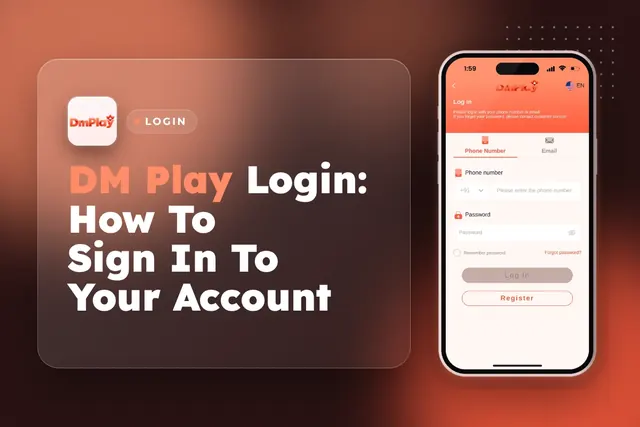
DM Play Login for players in India works with your +91 mobile number or email. Learn how to reset a forgotten password and fix sign-in issues.
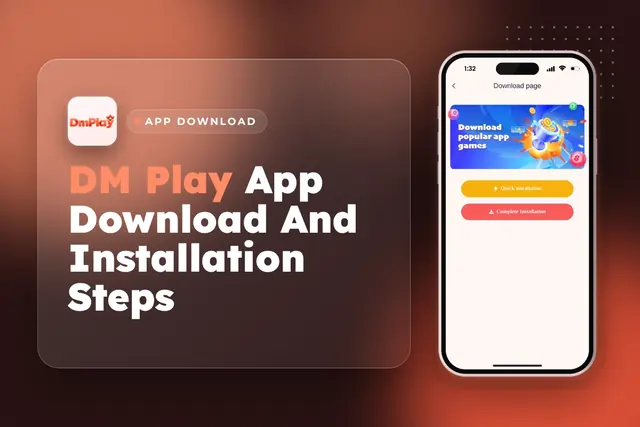
DM Play app download in India: get the app from the official website, install it, register with invite code 216651031605 and claim the Rs. 28 app bonus.
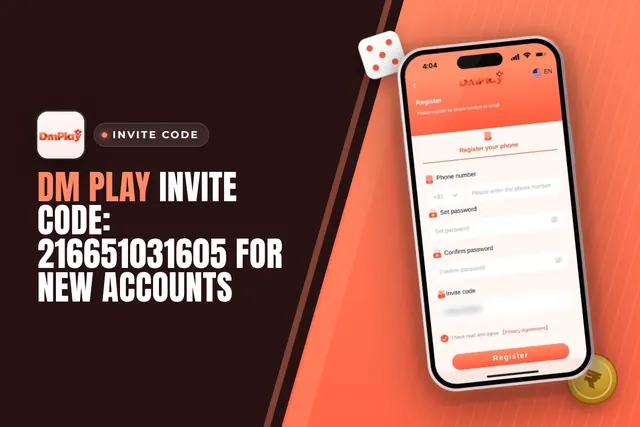
Use the DM Play invite code 216651031605 to sign up. Find the registration steps, common code mistakes, joining bonuses and how referrals work.
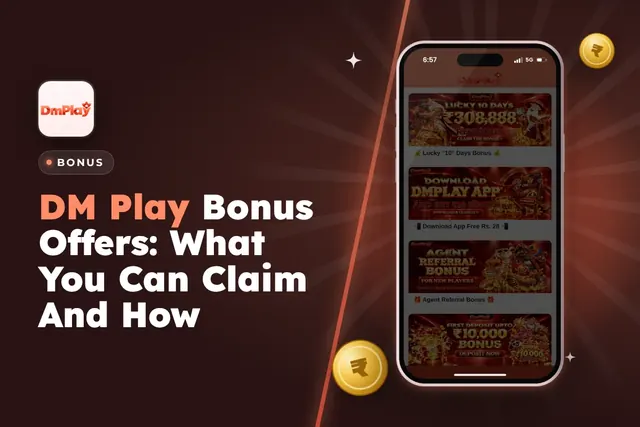
DM Play bonus offers for Indian players: new member package, 2% first deposit refund, invitation bonus, Super Jackpot, lucky wheel, gift codes and rules.
Ready To Play On DM Play?
Register on DM Play in a minute and explore the games and offers.