
DM Play App Download And Installation Steps
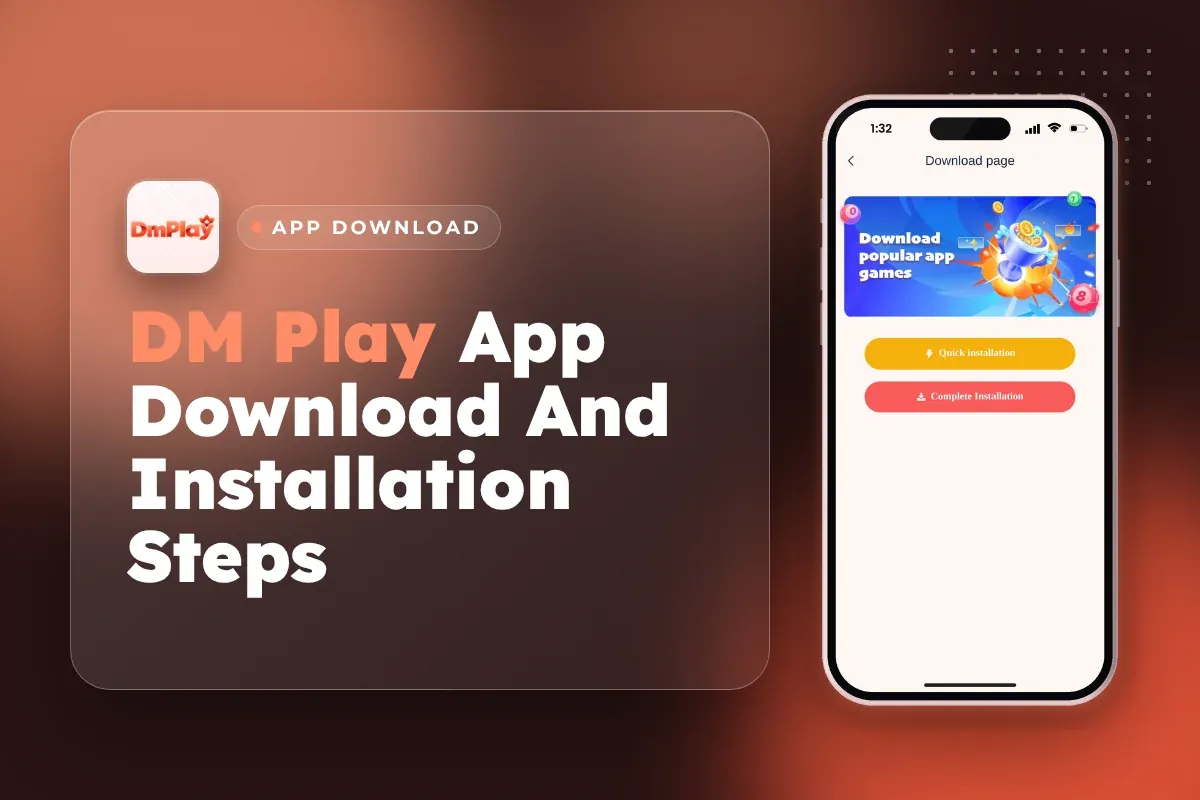
To get the DM Play app, use the download icon at the top right of the DM Play official website. Don't rely on some random link from a chat group. Tap the icon, select Quick installation or Complete Installation on the next page, and within a few minutes the app is on your phone.
After installing, sign up using your mobile number or email along with the invite code 216651031605. You can then sign in with those same credentials from any device. Your Balance, game history and bonuses are tied to your account rather than to the handset.
Installing the app has another advantage over playing in a browser: the Activity page carries a Download App Free Rs. 28 offer. Further down are the exact steps, a fix for when Android stops the file, and tips to stay clear of the fake versions floating around online.
- Where To Download
- Download icon, top right
- Install Options
- Quick or Complete Installation
- App Bonus
- Rs. 28
- Invite Code
- 216651031605
- Login With
- Phone number or email
- Age Limit
- 18+ only
Quick Menu
How To Download The DM Play App
You can get the DM Play app from the download icon placed at the upper right of the official website's home page. It opens a download page offering two buttons: Quick installation and Complete Installation.
Most install problems start one step earlier, with the link itself. Players search for a DM Play game download, tap the first result or a link forwarded on Telegram, and end up with a copy that is not the real app. Open the DM Play official website first and start the download from there, every time.
On an ordinary 4G connection, everything is done in a few minutes. Logging in is not needed before you download, so you can install the app first and make your account inside it.
- Open the official DM Play website in Chrome (Android) or Safari (iPhone).
- Look for the download icon in the home page's top right corner and tap on it.
- Once the download page opens, choose Quick installation or Complete Installation.
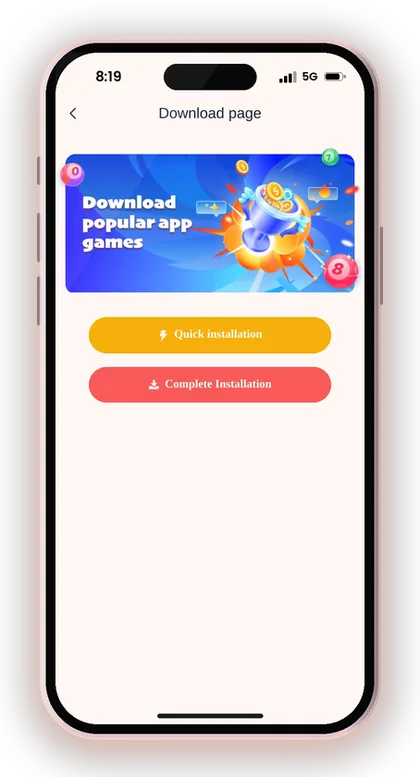
- Let the download finish, then open the app from your home screen.
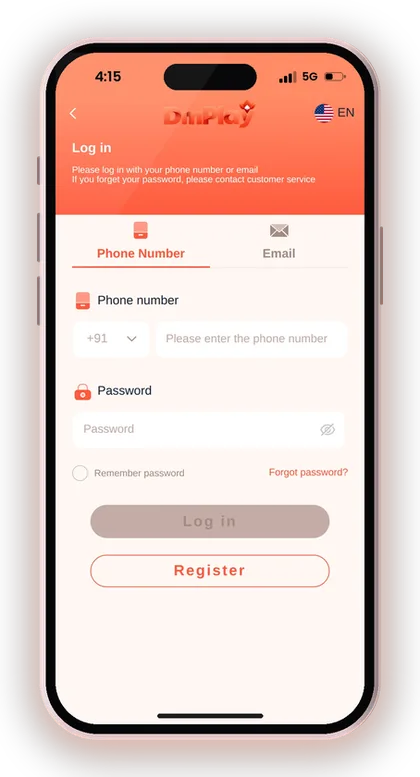
- Tap Register and enter the invite code 216651031605, or tap Log in if you already have an account.
Useful Advice: If the download icon does not appear, you may see an ADD TO DESKTOP icon instead; tapping it saves the site to your home screen like an app.

Install the Android app and Login with the account you made on DM Play.
Install The AppQuick Installation Or Complete Installation: Which One To Pick?
Both buttons on the download page lead to the same DM Play account, so the choice only changes how the app sits on your phone. Your Balance, Wallet and bets are stored on your account, not on the device.
On apps like this, the quick option is usually the lighter one and the complete option is the full install file. If one of them fails on your phone, simply try the other before asking Customer Care.
When Quick Installation Makes Sense
Go for Quick installation when your phone is short on storage or you want to start playing within a minute. On most gaming platforms it works like a shortcut on your home screen, opening the app in its own window.
The trade-off is that it depends more on your browser. If you clear Chrome data or switch browsers, you may need to log in again, so keep your password saved somewhere safe.
Why Some Players Prefer The Complete Installation
The complete installation gives you a proper app icon and a full-screen layout that does not show browser bars. Regular Win Go players often prefer it because the round timer and bet buttons get more space on small screens.
It takes a bit more storage and, on Android, may need a one-time permission to install. Check the next section if your phone stops the install halfway.
Can You Switch Between Them Later?
Yes, you can delete one version and install the other at any time without losing anything. Since you log in with your phone number or email, your account opens with the same Balance on either version.
Just do not keep two old copies lying around. Delete the version you stop using so you never open an outdated one by mistake.
Installing The DM Play APK On Android
If the complete installation hands your Android phone a DM Play APK file, Android treats it as an app from outside the Play Store. That is normal for real-money gaming apps in India, and it means you have to approve the install once.
The steps below follow the usual Android flow. Menu names change a little between brands like Samsung, Vivo, Redmi and Realme, but the idea is the same everywhere.
- Find the downloaded file in your phone's Downloads folder or in the list of downloads inside your browser.
- Tap the DM Play file.
- If Android says the install is blocked, tap Settings and allow your browser to install apps.
- Go back and tap Install.
- Open the app, then turn the browser permission off again in Settings.
Why Android Blocks The File At First
Android stops any file that doesn't come from the Play Store until you permit the app you used to download it, usually Chrome, to install apps. It is only a security check and doesn't mean the file is faulty.
The common mistake is turning on "install unknown apps" for every app on the phone. Allow it only for the browser you used, and switch it off again after the install is done.
What To Do About A Play Protect Warning
A Play Protect pop-up appears for most apps installed outside the Play Store, so it is expected. What matters is where the file came from: if you downloaded it from the official website's download icon, you can tap the option to install anyway.
If the file came from a WhatsApp forward, a YouTube description or an unknown site, cancel the install and delete it. That warning exists exactly for those copies.
Using DM Play On iPhone Or Without Installing
You do not need a separate download to play on an iPhone: open the official website in Safari and add it to your home screen. The Beginner's Guide also mentions an ADD TO DESKTOP icon that saves the site as an app-style shortcut.
In Safari, tap the Share button, choose Add to Home Screen and tap Add. The DM Play icon then opens the site directly, which saves you typing the address and reduces the chance of landing on a lookalike page.
App Vs Mobile Website: What Actually Changes?
Nothing changes about your account; the games, the Wallet and your Balance are the same in the app and on the mobile website. The difference is comfort: the app opens straight to the lobby, while the browser shows tabs and address bars.
If you play long WinGo 5Min or K3 sessions, the app is easier. For a quick check of your Balance on someone else's phone, the browser is fine, but log out afterwards.
Does A Home-Screen Shortcut Count For The App Bonus?
The Download App Free Rs. 28 offer is built around installing the app, so do not assume a Safari shortcut qualifies. Open the offer on the Activity page and read its own rules before you count on the reward.
If anything is unclear, ask Customer Care from the Account page which install method is accepted. A two-minute question now saves a complaint later.
DM Play Register Steps Inside The App
Once installed, tap Register and fill in your phone number (leave +91 India selected) or email, a password and the invite code. The Invite Code field is compulsory, so registration can't be finished without it.
Use the code 216651031605 when you sign up on DM Play. Enter it carefully before you tap Register, because the invite code is linked to your account at sign-up and cannot be fixed by editing your profile later.
Use a phone number you will keep. Your login, password recovery and later withdrawals all depend on this account, so a borrowed SIM or a temporary number causes trouble months later.
- Open the app and tap Register.
- Choose phone or email, then enter your number with +91 India selected.
- Set your password (the Beginner's Guide asks for 6 characters) and confirm it.
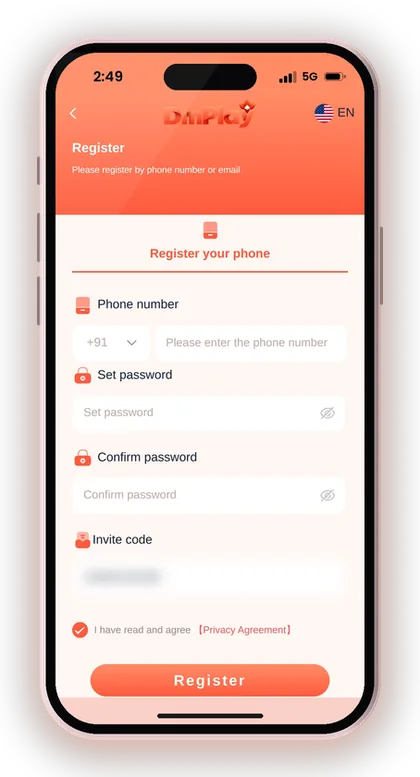
- Type 216651031605 into the box meant for the Invite Code.
- Place a tick in the box confirming that you accept the Privacy Agreement.
- Tap Register and wait for your account to open.
Useful Advice: Enter the invite code exactly as 216651031605. A single wrong digit is the commonest reason the form rejects you.
DM Play Login And First-Time Setup
Sign in using the mobile number or email you signed up with and your account password. You will see a Remember password checkbox on the login page. It is handy on your own phone, but avoid it on a device that others use.
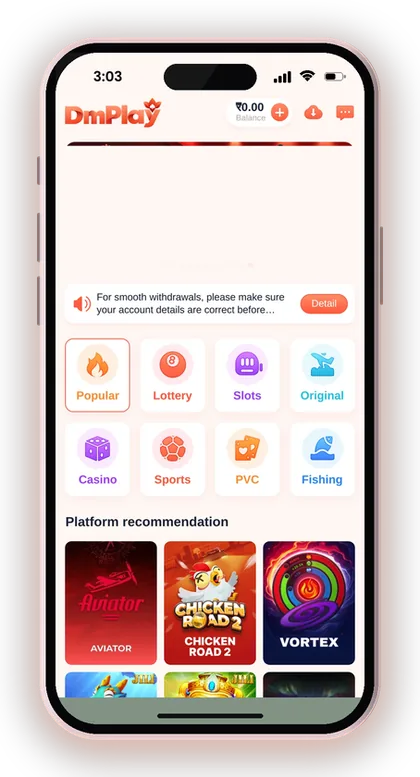
Do two things in your first session. Change to a strong password, and look through the Account page so you know where Deposit, Withdraw, Customer Service and the Beginner's Guide sit before you need them.
Logging In With Phone Or Email
Pick the same tab you used at sign-up: Phone Number or Email. Players who registered by phone and then try their email see a failed login and assume the app is broken.
If you use the DM Play login page on the website too, the details are identical. One account works across the app, the mobile website and any phone you sign in on.
What If You Forget Your Password?
Tap Forgot password? on the login screen and follow the steps to set a new one, or contact customer service straight away. Both routes are listed in the Beginner's Guide.
Never ask a stranger in a group chat to reset it for you. Real support will not ask for your OTP, and anyone who does is trying to take over your account.
How To Change Your Password After Installing
Open Account, tap the Settings icon, select Login Password, key in your present password, then enter and confirm a new one and tap Save Changes. Do this on the first day if you gave away your old password while signing up.
Use a password you do not use for email or UPI apps. If one service leaks, the others stay safe.
Useful Advice: Read the Recharge instructions on the page before you make your first DM Play deposit. The payment must match the generated order amount exactly, or the money will not reach your balance.
Claiming The Download App Free Rs. 28 Bonus
The Activity page lists a Download App Free Rs. 28 offer for players who install the app. Open the Activity tab at the bottom of the app, scroll the event list and tap that banner to read its current conditions.
Read the conditions before you assume the money is coming. App bonuses on platforms like this often need a completed registration and sometimes a first deposit, and the banner text is the only place that tells you which applies right now.
The event rules on the Activity page also state that a reward can be claimed just once per address, phone number, payment method and IP address. Repeated claims can lead to bonuses being cancelled or the account frozen. Reinstalling the app or making a second account on a family member's phone will not earn a second Rs. 28, and it can put your main account at risk.
Useful Advice: Once you have claimed a reward, open the Activity page and look at Today's bonus and Bonus details at the top to confirm that it has actually been credited.
What You Can Play In The DM Play App
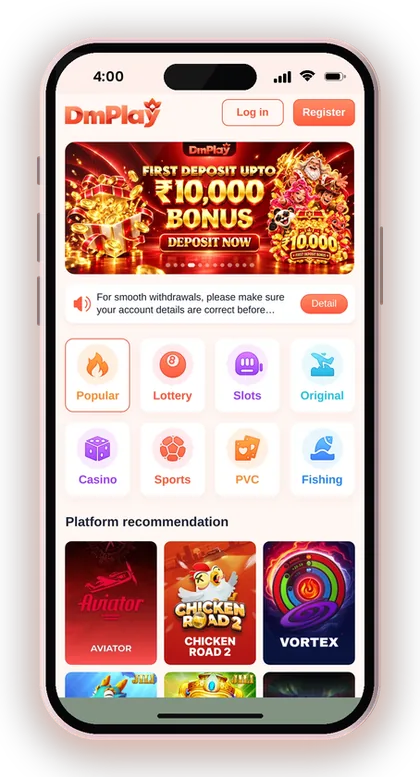
The app's lobby has eight tabs: Popular, Lottery, Slots, Original, Casino, Sports, PVC and Fishing. Everything on the website is available in the app, so installing does not cut down your choice.
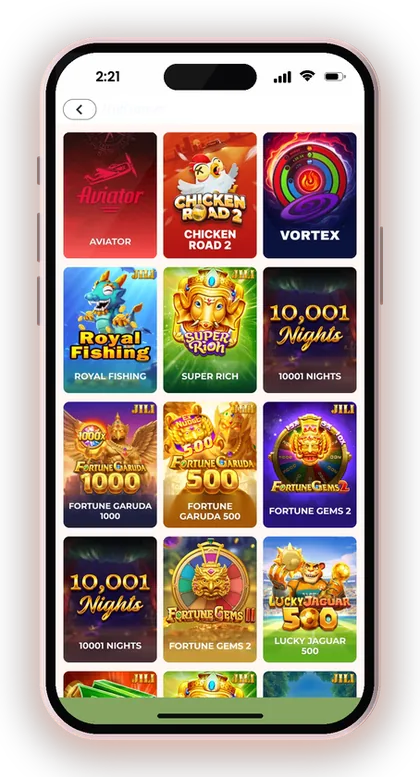
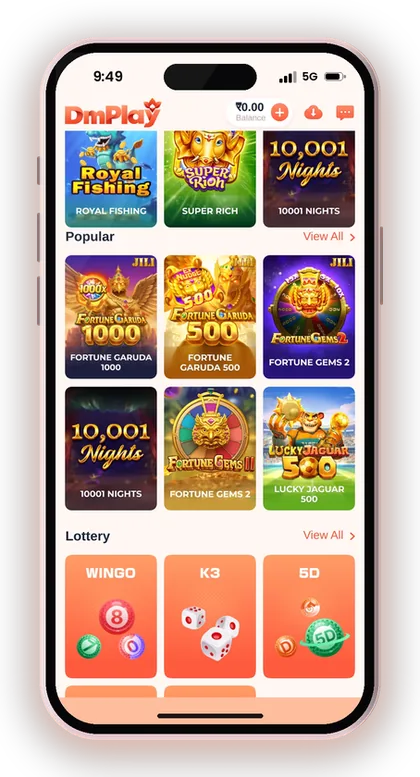
The DM Play Lottery section is where most players spend their time. Win Go runs in 30s, 1Min, 3Min and 5Min rounds, and the lottery tab also has K3, 5D, Trx Win Go and MotoRace. Popular picks include Aviator, Chicken Road 2 and live tables such as Andar Bahar, Dragon Tiger and Roulette.
A practical note: 30-second rounds move far faster on a phone than most people expect. If you are new, begin with 3Min or 5Min rounds, decide a fixed budget for playing, and stop once it is used up. Every result is random. Go through the whole list of DM Play games before you put money into any one of them.
- Lottery: Win Go, K3, 5D, Trx Win Go, MotoRace
- Popular: Aviator, Chicken Road 2, Vortex and live card tables
- Slots: Golden Bank and other slot games
- Fishing: fish shooting games
- Casino, Sports, PVC and Original tabs
Common DM Play Game Download Problems And Fixes
Almost every install problem comes down to storage, permissions or an old copy of the app. The table covers the ones players run into most, with the fix to try first.
If none of these work, open the mobile website, log in there and contact Customer Service from the Account page. Tell them your phone model and exactly which step fails; a clear message gets a faster answer.
| Problem | Likely Cause | What To Try |
|---|---|---|
| Download icon does nothing | Pop-up or download blocked in browser | Allow downloads for the site or try Chrome |
| Install blocked on Android | Unknown apps permission off | Allow your browser to install apps, then turn it off |
| App not installed error | Low storage or an old version present | Free up space and remove the old copy |
| Blank screen after opening | Weak internet or cache issue | Switch between Wi-Fi and mobile data, clear app cache |
| Cannot find the download icon | Opened a copy site, not the official one | Go back to the official website homepage |
App Installed But Will Not Open
An app that crashes on launch is usually fighting with an older copy or corrupted cache. Uninstall it, restart the phone, and install fresh from the download icon on the official website.
Do not reinstall from a file saved in your Downloads folder weeks ago. Always get a new copy so you have the current version.
Login Works In The Browser But Not In The App
When the same details work on the website but fail in the app, check whether you picked Phone Number or Email correctly in the app. Also check whether autofill pasted an old password.
Type the password by hand once. If it still fails, use Forgot password? or contact Customer Care, since repeated wrong attempts will not help.
Is The DM Play App Safe? Fake APKs And Hack Claims
The safety of the DM Play app depends on the source you download it from. The homepage itself tells players to use only the official DMPLAY website and to contact support for account help, which makes it clear that fake copies and impostors exist.
Only people aged above 18 can use the platform, and the homepage itself cautions that gambling can become addictive. Treat it as a pastime and stake only an amount you can comfortably lose. Do look up what your state permits for real-money gaming before you begin.
- Download only from the icon on the official website
- Delete any copy received through chat apps
- Use a password not used anywhere else
- Never share OTPs, even with someone claiming to be support
- Set a playing budget before you open the lobby
There Is No DM Play Hack
A DM Play hack app, "prediction" tool or modded APK cannot foresee the next Win Go colour or the moment a crash happens. Outcomes are random, and such tools exist to steal your login details, your OTP or a "registration fee".
If someone in a Telegram group promises sure wins for a fee, block them. Paying for a fake tool is the fastest way to lose money before you have even placed a bet.
Protecting Your Account After You Install
Lock the app behind your phone's screen lock, and do not tick Remember password on a shared device. When you set up UPI for withdrawals, the app recommends keeping your mobile number out of the UPI ID.
That notice further cautions you never to share OTPs and never to pay anyone who approaches you claiming to be support. Real Customer Care can be reached only from inside your Account page, not through a message from a stranger.
Useful Advice: If an app asks for your OTP or a fee before you can log in, it is not the real DM Play app; uninstall it straight away.
Doubts Cleared Here
Where can I download the DM Play app?
Open the DM Play official website in your phone's browser and tap the download icon in the homepage's top right corner. You will then get Quick installation and Complete Installation options. Do not use links shared in chat groups, because fake copies circulate there.
Is there a bonus for downloading the DM Play app?
Yes, a Download App Free Rs. 28 offer is listed on the Activity page. Tap its banner and read the current conditions before claiming. As per the event rules, each phone number, payment method and IP address can get only one reward.
Is an invite code required when I sign up in the app?
Yes, the registration form has a field for the Invite Code. Type 216651031605 there, add your mobile number or email and a password, tick the Privacy Agreement box, then tap Register.
Can I use DM Play on an iPhone?
Open the official website in Safari and add it to your home screen, or use the ADD TO DESKTOP icon when it shows up. Your account, Balance and games remain the same as in the Android app.
Will I lose my balance if I delete the app?
No. Your Balance and history belong to your account and are not kept on the handset. Reinstall the app or open the mobile website, sign in with your mobile number or email, and everything will still be there.
Why does my phone say the DM Play file is harmful?
Android shows a warning for most apps installed outside the Play Store. If the file came from the official website's download icon, you can continue. If it came from any other source, delete it.
Is there a DM Play hack or predictor app that works?
No. Game results are random, and any app or person selling hacks or predictions is running a scam. These tools are built to steal your password, your OTP or an upfront fee.
You May Also Like
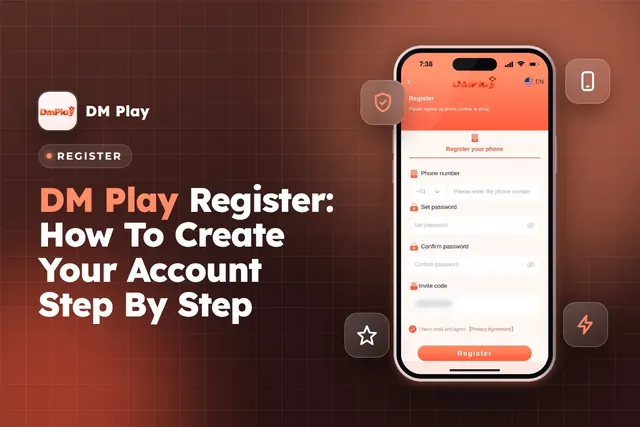
DM Play register steps for India: sign up with phone or email, enter invite code 216651031605, set a safe password and avoid common account mistakes.
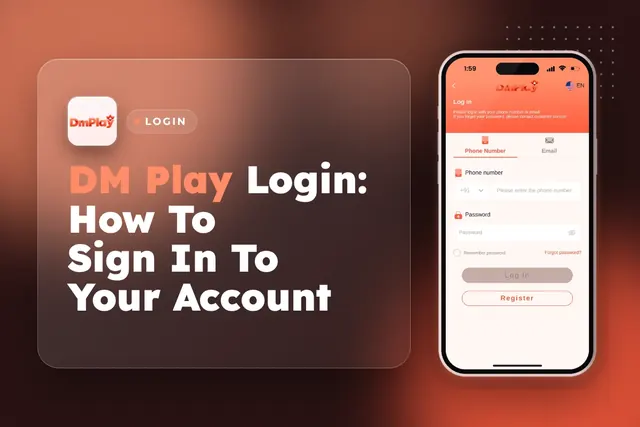
DM Play Login for players in India works with your +91 mobile number or email. Learn how to reset a forgotten password and fix sign-in issues.
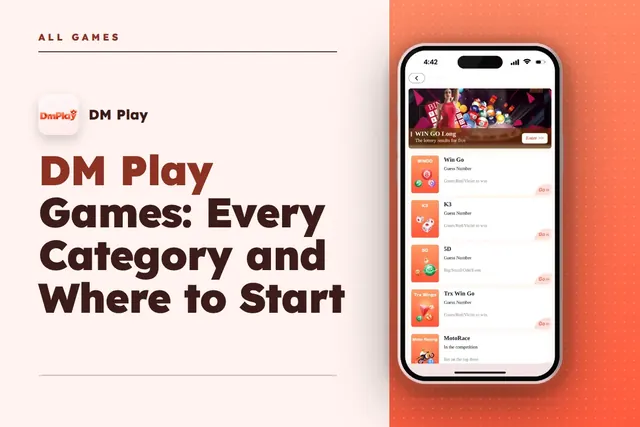
DM Play games by category: Win Go, K3, 5D and Trx Win Go lottery, Aviator, live casino, slots, sports and fishing, with tips on picking where to start.
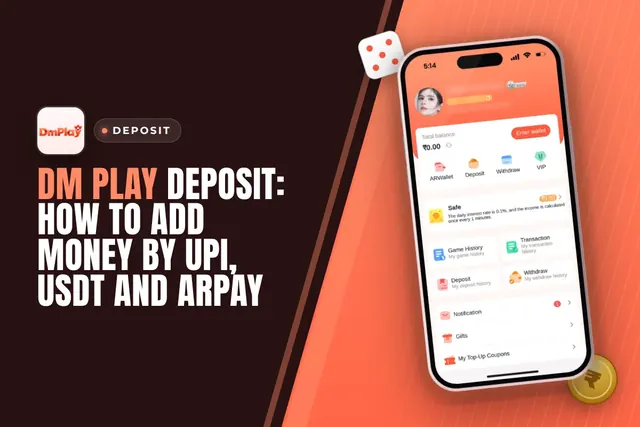
DM Play deposit steps for UPI, USDT and ARPay, with the ₹100 minimum, ₹50,000 UPI limit, exact-amount rules and what to do if money is not credited.
Ready To Play On DM Play?
Register on DM Play in a minute and explore the games and offers.