
DM Play Minimum Deposit and Withdrawal Limits for Every Payment Method
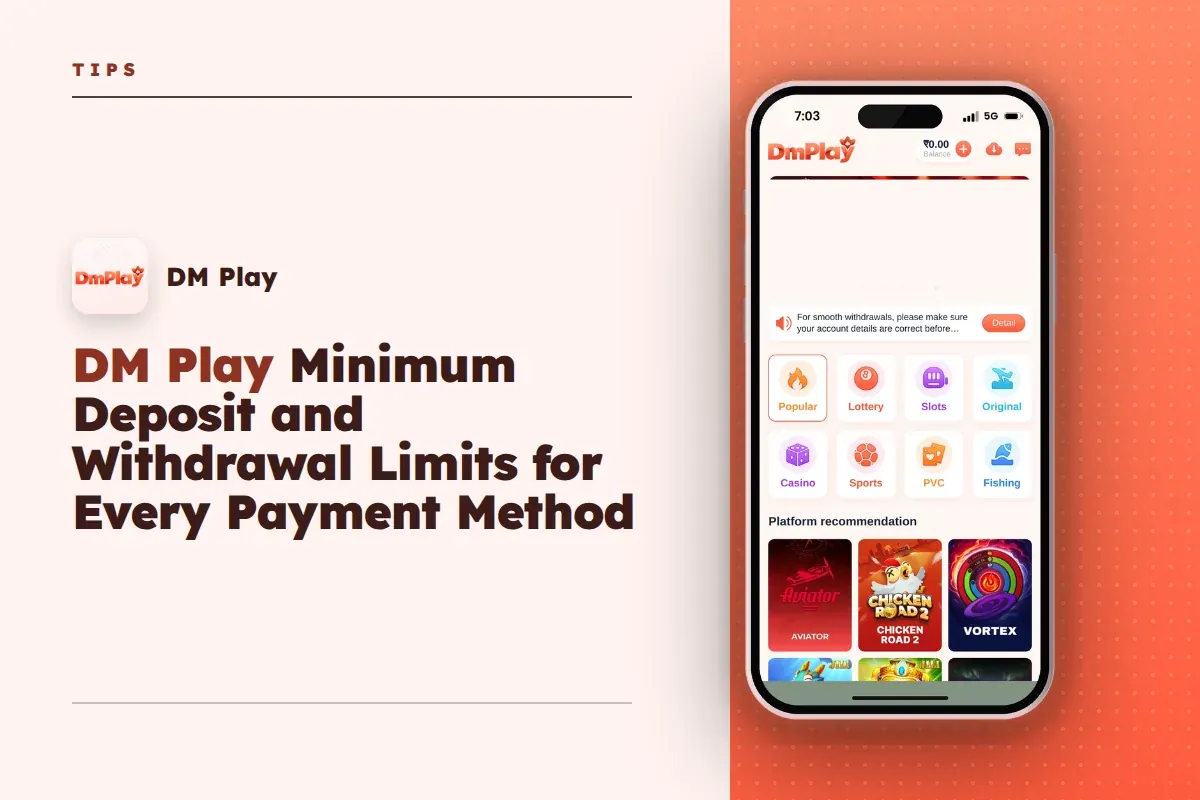
The DM Play minimum deposit is ₹100 by UPI, and one UPI deposit can go up to ₹50,000. If you pay with USDT, the USDT tile on the Deposit page sets the minimum at 10 USDT. Withdrawals start at ₹110 for bank card and UPI, and at ₹1,030 for USDT.
These numbers decide more than they seem to. They decide how you split a large deposit, which method gets your winnings home fastest, and why a withdrawal request sometimes gets rejected even though your balance looks fine.
Below you will find every limit in one place, plus the rules around them that new players usually miss: the three-per-day withdrawal cap, the withdrawal time window, the locked account name and the betting condition you must clear first.
- Minimum Deposit
- ₹100 by UPI
- Maximum UPI Deposit
- ₹50,000 per deposit
- Minimum Withdrawal
- ₹110 (bank, UPI)
- USDT Withdrawal Minimum
- ₹1,030
- Withdrawals Per Day
- 3
- Withdrawal Hours
- 00:00 to 23:55
Quick Menu
All DM Play Deposit and Withdrawal Limits in One Table
DM Play accepts deposits by UPI, USDT and ARPay, and pays withdrawals to a bank card, a UPI ID, a USDT address or an AR Wallet. Each method has its own floor and ceiling, so the right choice depends on how much money you are moving.
The table below covers every limit shown on the deposit and withdrawal screens. Keep in mind that limits can change, so glance at the method's own screen before you send a large amount.
| Method | Direction | Minimum | Maximum | Extra Rule |
|---|---|---|---|---|
| UPI (PhonePe, Google Pay, Paytm and other UPI apps) | Deposit | ₹100 | ₹50,000 | Pay the exact order amount |
| USDT (TRC20 network) | Deposit | 10 USDT | Check the USDT tile | Below the minimum is not credited |
| Bank card | Withdrawal | ₹110 | ₹1,00,00,000 (₹1 crore) | IFSC and account number needed |
| UPI | Withdrawal | ₹110 | ₹50,000 | UPI ID must be bound first |
| USDT | Withdrawal | ₹1,030 | ₹1,00,00,000 (₹1 crore) | 3 blockchain confirmations |
| All withdrawal methods | Withdrawal | — | — | 3 per day, 00:00 to 23:55 |
Useful Advice: Before making a large transfer, capture the limit line on the method screen. It will serve as evidence if something goes wrong.
DM Play Minimum Deposit for UPI and USDT
The lowest amount you can add to your DM Play wallet is ₹100, and that applies to every UPI option on the Deposit page. Whether you scan a QR with PhonePe, Google Pay or Paytm, the range is the same: ₹100 to ₹50,000 per deposit.
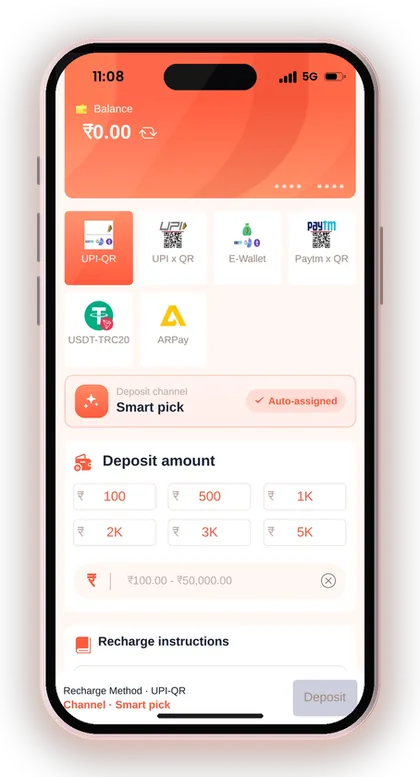
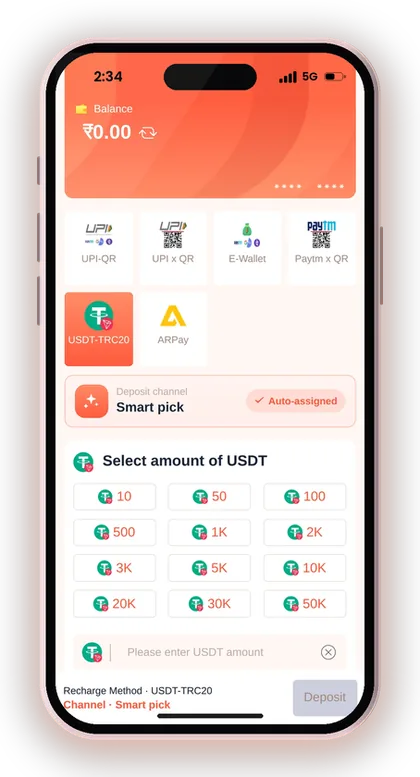
For USDT on the TRC20 network, the minimum shown on the deposit tile is 10 USDT. Anything below that does not reach your balance, and crypto transfers cannot be pulled back once sent.
For most Indian players, UPI is the sensible starting point. It works in rupees, needs no exchange account and lets you test the app with just ₹100 before you trust it with more. The full steps for adding money sit on the DM Play deposit page.
Why Start With ₹100 Instead of a Bigger Amount?
A ₹100 first deposit tells you how the payment screen behaves, how long the credit takes and whether your UPI app works smoothly with the assigned channel. You learn all this while risking very little.
New players often send ₹5,000 straight away and then panic when the QR timer runs out mid-payment. Test small, check that the balance updates, then deposit what fits your playing budget.
UPI Vs USDT Deposit: Which Should You Use?
UPI is the better choice for almost everyone depositing in rupees. The money moves from your bank in seconds, the minimum is low and you never deal with wallet addresses or network fees.
USDT makes sense only if you already hold crypto and know the TRC20 network well. A wrong network or a wrong address means the coins are lost, and support cannot recover them. If you are unsure, stick with UPI.
Do Quick-Amount Buttons Change the Limit?
No. The preset buttons on some UPI options, such as 10K, 20K, 30K and 50K, only fill in the amount for you. You can still type any figure between ₹100 and ₹50,000 into the box.
The common mistake is tapping 50K by accident and paying it without reading the amount. Always check the number on your UPI app's payment screen before entering your PIN.
Useful Advice: Make your first deposit ₹100 by UPI to test the whole process before adding larger sums.
Rules That Decide Whether Your Deposit Gets Credited
Your DM Play deposit is credited only if the sum you send matches the order you placed. Say you place an order for ₹500 but send ₹550 or ₹499: the system cannot link the payment to it, and the platform takes no responsibility for such a mismatch.
Each deposit order also runs on a timer. If the timer runs out before you finish paying, raise a fresh deposit request and pay that one, not the expired order.
Another rule trips up many users: once the money has gone out, do not cancel the deposit order. A cancellation severs the connection between the payment and your account, so what should be an easy credit ends up as a support ticket.
- The UPI amount matches the order exactly, to the rupee
- You pay before the order timer runs out
- You do not cancel the order after paying
- You keep the UTR number until the balance updates
- USDT goes only on the TRC20 network to the address shown
What To Do If the Deposit Does Not Show
Say you top up ₹500 by UPI and your balance doesn't move for several minutes. First, open Deposit history in your account and check that order's status. Then find the UTR or reference number in your UPI app.
Pass the UTR, the amount and a screenshot to Customer Service from within the app. Avoid making another payment for the same order in the hope that it will release the first one.
Can You Split a Large Deposit?
Yes, and above ₹50,000 by UPI you have to. One UPI deposit cannot exceed ₹50,000, so ₹80,000 would need two separate orders, each paid in full.
Splitting also has a safety benefit. If one payment gets stuck, only part of your money is waiting for a fix. Many banks also set their own daily UPI caps, so check yours before planning a large session.
Useful Advice: Copy the order amount from the screen into your UPI app instead of typing it from memory.
DM Play Minimum Withdrawal and Maximum Limits
The DM Play minimum withdrawal is ₹110 for both bank card and UPI, and ₹1,030 for USDT. Below those figures, the Withdraw button will not accept your request.
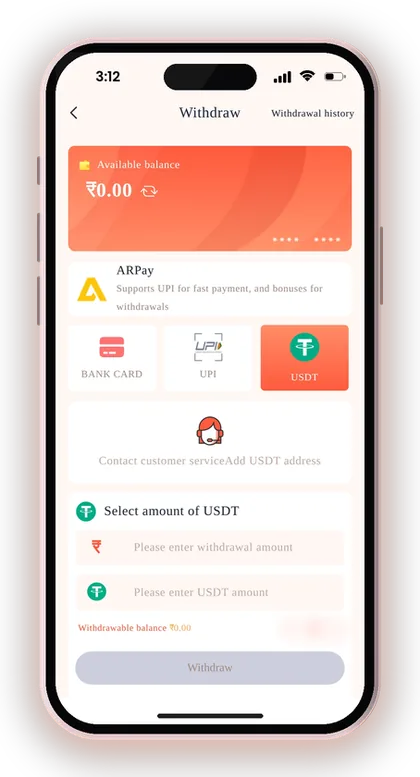
The ceilings differ much more. A single bank card withdrawal can go up to ₹1 crore, UPI stops at ₹50,000 and USDT also goes up to ₹1 crore. If you win big, the method you choose matters.
Step-by-step instructions for every method, including how to add your account, are on the DM Play withdrawal guide page. Here the focus is on the numbers and what they mean for you.
Bank Card Vs UPI for Withdrawals
For amounts up to ₹50,000, UPI and bank card both work, and the choice comes down to which details you have bound. Above ₹50,000, the bank card is the practical rupee option because UPI stops there.
Say you want ₹1,20,000 out. By UPI that would need three requests, using your whole daily allowance. One bank card request covers it, and leaves two withdrawals free for later.
When Does a USDT Withdrawal Make Sense?
USDT works well for players who already have a crypto wallet and prefer moving bigger amounts. Its minimum of ₹1,030 is above that of other methods, so small winnings are not a good fit for it.
After you make a withdrawal, the transfer needs three confirmations on the main blockchain network before it shows up in your wallet. Bind a TRC20 address that belongs to you, and verify every character before saving it.
What Is ARPay on the Withdraw Screen?
Choosing ARPay sends your money into an AR Wallet, a third-party service that works with a digital coin called ARB. You then sell that ARB through UPI to get rupees, and the screen also shows bonus rewards.
It adds a step and a third-party service between you and your bank, so understand the AR Pay transaction rules before activating it. If you just want rupees in your account, direct bank or UPI is simpler.
Useful Advice: For anything above ₹50,000, use the bank card method to save your daily withdrawal count.
DM Play Withdrawal Limit Per Day and Withdrawal Hours
You can make three withdrawals per day on DM Play, across every method. The counter shows on the Withdraw screen as remaining withdrawal times, so check it before you request.
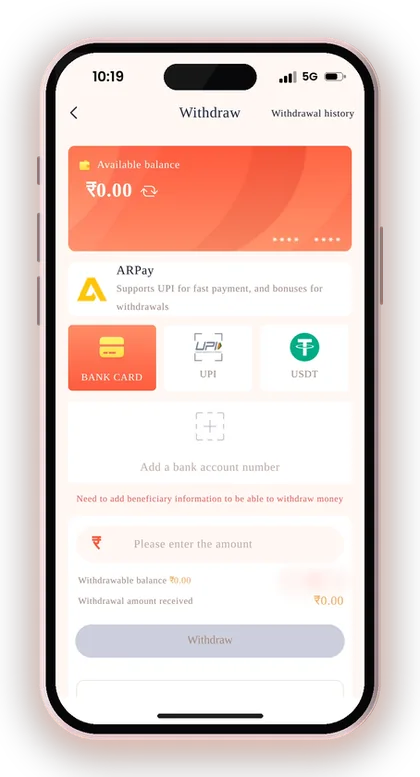
Withdrawals can be submitted between 00:00 and 23:55. The five minutes before midnight are closed, and a request tapped at 23:57 will not go through until the new day starts.
These two rules together shape how you plan. Three requests a day is plenty if you withdraw in sensible amounts, but wasting them on ₹110 test withdrawals can leave you stuck when you need a bigger one.
How To Plan Around Three Withdrawals a Day
Group your winnings into fewer, larger requests instead of withdrawing after every good round. One ₹3,000 request is easier to track than six ₹500 ones, and it keeps two requests in reserve.
The mistake new players make is using all three early, then winning again in the evening. Their money then sits in the balance overnight, where the temptation to keep playing is strong.
Does a Rejected Request Use Up a Withdrawal?
Check the remaining count after any failed or returned request, because the screen tells you exactly how many tries are left. Do not assume a failed attempt was free.
Most rejections come from wrong bank details or unmet betting conditions, both covered below. Fixing those before you tap Withdraw protects your daily count.
Useful Advice: Submit withdrawals well before 23:55 so a late-night request is not pushed to the next day.
Conditions To Meet Before You Can Withdraw
Before DM Play processes a withdrawal, your bet requirement must reach zero. Deposits and bonuses carry a betting amount that has to be played through, and until it is cleared the request will not go ahead.
You also need a payout account bound to your profile. Bank card needs the bank name, the full recipient's name, account number, phone number and IFSC code. UPI needs the UPI name, phone number and UPI ID entered twice.
Many players miss the locked name rule. Once you save your first payout account, that name is fixed, and every method you add later must show the same name. Enter your name exactly as your bank has it on file.
- Open Account and tap Withdraw
- Bind a bank account, UPI ID or USDT address with your real name
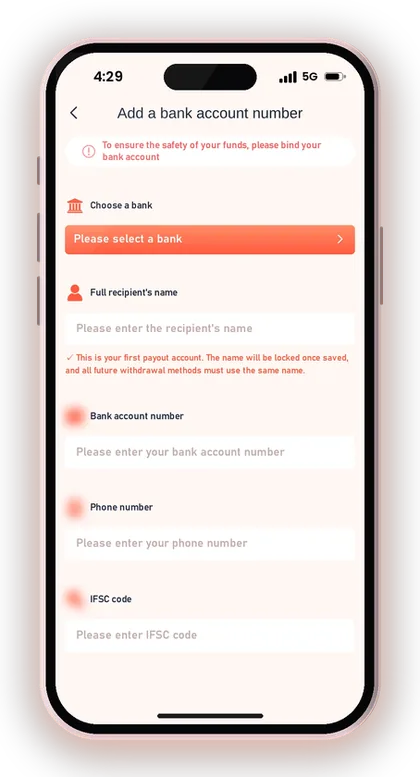
- Confirm your bet requirement shows zero
- Enter an amount within your method's range
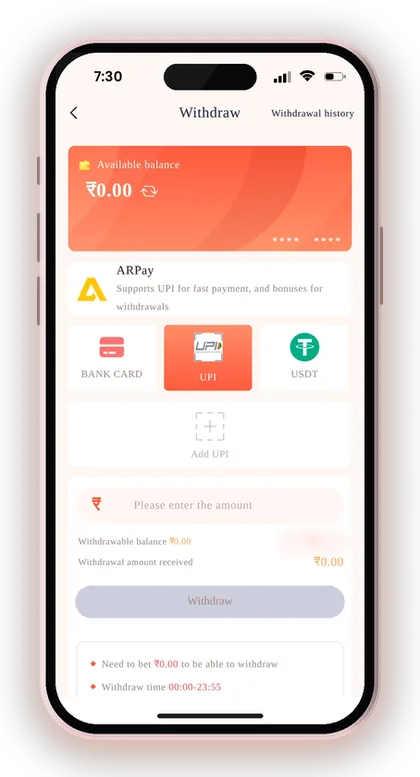
- Enter your login password and submit
Why the Bet Requirement Blocks Your Withdrawal
Say you deposit ₹1,000 and win ₹400 in your first few rounds. If the remaining bet requirement is above zero, you cannot withdraw yet, even though the money sits in your balance.
Check the withdraw screen for the amount still to be played before you request. Planning your session around clearing it saves you from a rejected request and a confused message to support.
Safe Way To Bind Your UPI ID
Inside the app you will see a warning against using your phone number as a UPI ID, because it exposes you to fraud. Choose a UPI ID that does not reveal your number, and enter your real number in its own separate field.
Never share an OTP with anyone, and never pay someone who contacts you claiming to be from support. If your saved details are wrong, contact Customer Service in the app to get them corrected.
Useful Advice: Bind your bank or UPI details right after registering, while you are calm, not after a big win.
Setting Up Your Account Before the First Deposit
Limits come into play only after you have a registered account. To sign up, the DM Play register form needs your mobile number or email, a password and an Invite Code. The code is compulsory, so enter 216651031605 while signing up.
Most players then add money and play through the DM Play app rather than the mobile website, because the app keeps you logged in and loads payment screens faster. You can get it from the DM Play app download page.
If you would rather start from the main page with the login and register buttons, the DM Play official website home page links to both.
- Open the Register page
- Type your mobile number with the +91 prefix, or use your email
- Set a password and confirm it
- Enter 216651031605 in the Invite Code field
- Check the box saying you have read and accept the terms, then press Register
- Log in and open Account, then Deposit
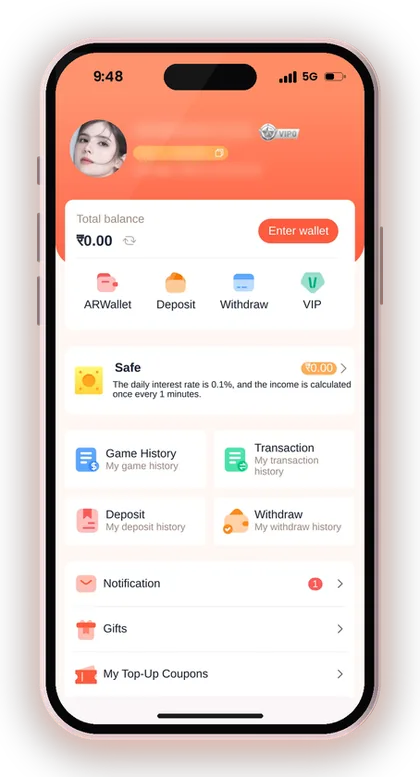
Useful Advice: Write down your login password safely, because you will need it every time you withdraw.
Smart Money Habits Around These Limits
A ₹100 minimum makes it easy to deposit again and again, which is exactly why you need a fixed playing budget. Decide the week's total before you open the app, and stop once it's used up.
Short rounds burn money faster. A Win Go round every 30 seconds means many more bets per hour than a 5-minute round, so the same ₹500 lasts very differently. The Win Go 30 sec vs 1 min comparison explains how round length changes your spending speed.
Every result in these games is random. No app, Telegram group or "DM Play Hack" can predict what comes next, and whoever sells such a tool is cheating you. Please join only if you are 18 or older, and put in only an amount you can easily afford to lose.
- Set a weekly deposit limit before you play
- Withdraw winnings in fewer, larger requests
- Never chase losses with another deposit
- Keep every UTR and order screenshot
Watch Out for Fake Support Numbers
Fake customer care numbers are the biggest risk around deposits and withdrawals. Scammers promise to fix a stuck payment, then ask for your OTP, UPI PIN or a "verification" payment.
Contact support only through Customer Service inside your account. Learn the warning signs in this piece on spotting fake DM Play customer care numbers, and find more practical articles on the DM Play blog.
Useful Advice: When you notice yourself making a second deposit in a single evening just to recover losses, shut the app for that day.
Doubts Cleared Here
What is the DM Play minimum deposit?
The minimum deposit is ₹100 for every UPI option, with a maximum of ₹50,000 per deposit. For USDT on the TRC20 network, the deposit tile shows a minimum of 10 USDT.
What is the DM Play minimum withdrawal?
You can withdraw from ₹110 by bank card or UPI. USDT withdrawals start at ₹1,030.
What is the daily limit on number of withdrawals?
You get three withdrawals per day. The Withdraw screen shows how many are left for the day.
What is the maximum UPI withdrawal?
One UPI withdrawal can be up to ₹50,000. For larger amounts, use a bank card, which allows up to ₹1 crore per request.
Why was my deposit not credited?
This usually happens when the paid sum is not the same as the order, the payment is made after the timer ends, or the order is cancelled after paying. Open Deposit history, then share your UTR number with Customer Service inside the app.
Can I withdraw at any time?
Withdrawals can be submitted from 00:00 to 23:55. Requests in the last five minutes before midnight must wait until the next day.
Why can't I withdraw even though I have a balance?
Your bet requirement must be at zero before a withdrawal goes through. You also need a bound bank account, UPI ID or USDT address with your real name.
Do I need an invite code to register?
Yes, the register form makes the Invite Code field compulsory. Type 216651031605 while signing up.
You May Also Like
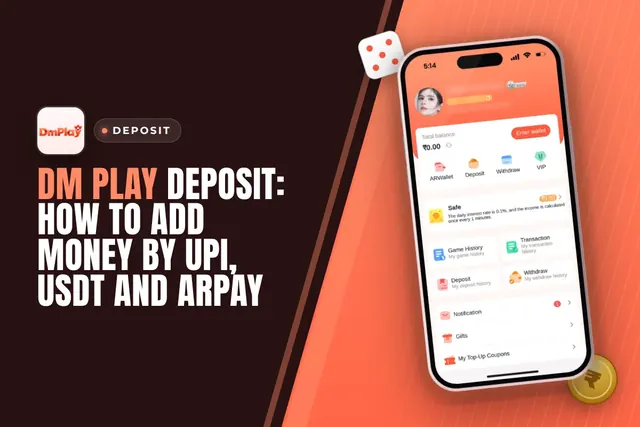
DM Play deposit steps for UPI, USDT and ARPay, with the ₹100 minimum, ₹50,000 UPI limit, exact-amount rules and what to do if money is not credited.
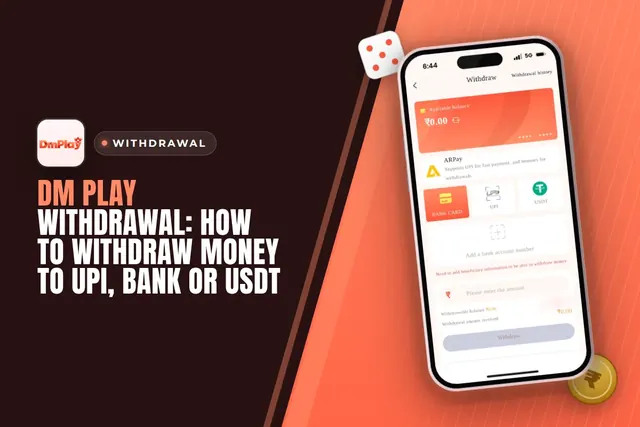
Cash out from DM Play via UPI, bank card, USDT or ARPay. See the ₹110 minimum, 3 requests daily limit, 00:00-23:55 timing and fixes for common issues.
DM Play app download in India: get the app from the official website, install it, register with invite code 216651031605 and claim the Rs. 28 app bonus.
Wingo 30 sec vs 1 min vs 3 min vs 5 min on DM Play: compare pace, decision time and how fast each round uses up your playing budget before you bet.
Ready To Play On DM Play?
Register on DM Play in a minute and explore the games and offers.