
DM Play APK Install: Download and Set Up the App on Android
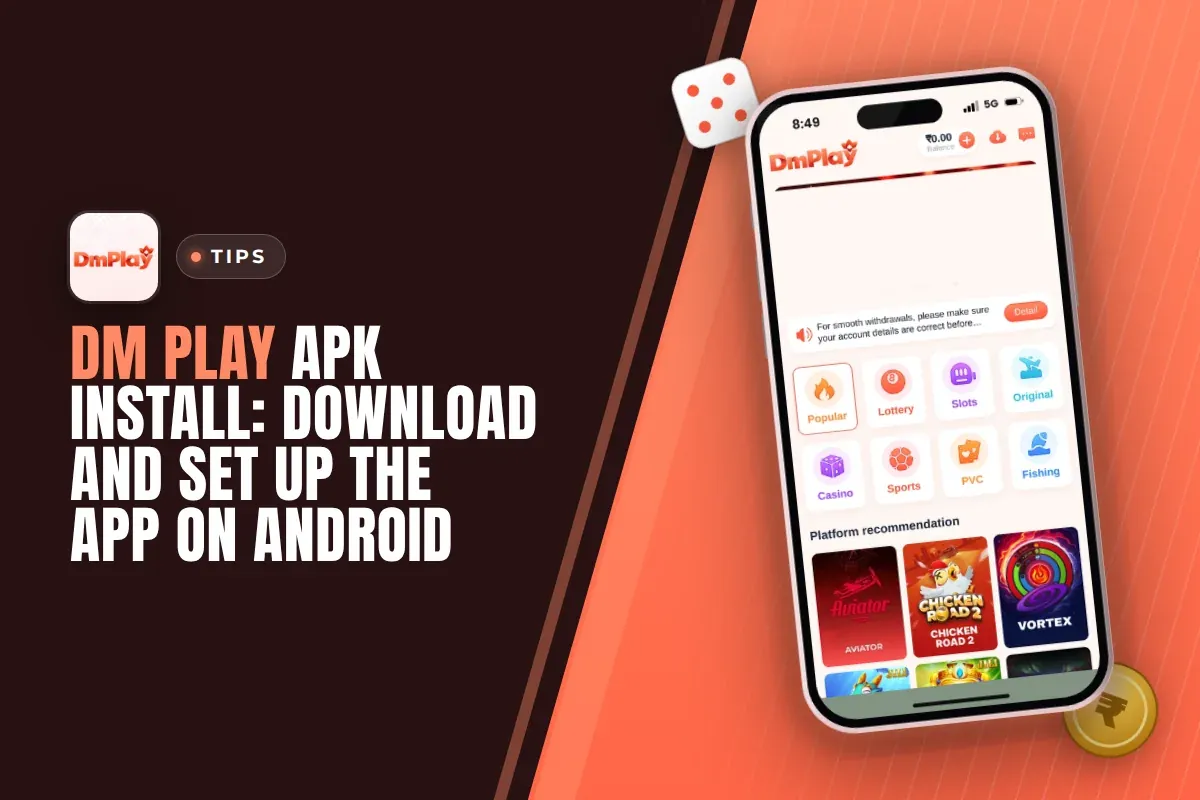
Getting the DM Play APK onto an Android phone takes only a few minutes. Open the DM Play mobile website in your browser and hit the download button at the top right of the screen. Pick Quick installation or Complete Installation, then wait for the file to finish installing. Prefer not to install anything? The same menu also has an Add to Desktop option.
The app carries the same games you see on the mobile website, such as Win Go, K3, 5D, Trx Win Go, slots and live casino tables. It adds one small perk too: an activity named Download App Free Rs. 28, visible under the Activity tab after you log in.
Below you will find each install option, what to allow in Android settings, how to register with the invite code 216651031605, and what to do when the install fails or the APK will not open.
Quick Menu
Where To Find The DM Play App Download Button
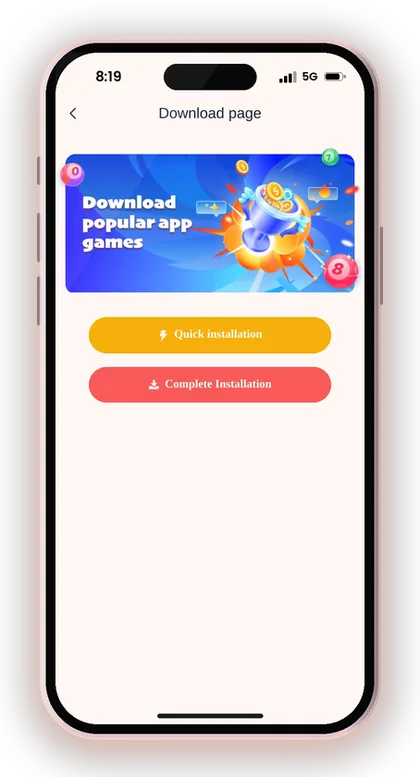
You will find the DM Play app behind the download icon at the upper right corner of the mobile website, which is also where the DM Play Game Download starts. You need not log in beforehand, because the icon appears on the page even before you sign in. Tap it and a download page opens with two buttons: Quick installation and Complete Installation.
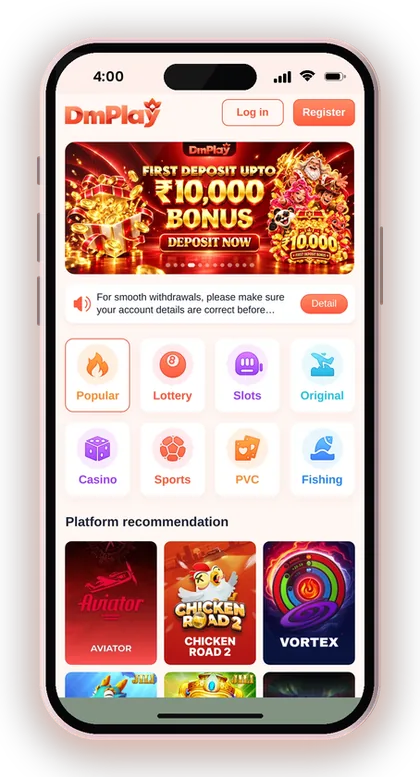
Before you tap anything, check the address in your browser. Fake copies of gaming sites often use a name that is one letter different, and an APK from those copies can steal your login or OTPs. Open the site only from the DM Play official website link so you know the file comes from the real platform.
A good habit is to use Chrome on Android for the download. Some in-app browsers, like the ones inside chat or social apps, block file downloads or save the APK to a folder you cannot easily find later.
Useful Advice: Bookmark the real site address in Chrome before you download, so you never search for it again and land on a copy.
Quick Installation Vs Complete Installation
The download page offers two choices, and they are not the same thing. Quick installation is the faster route and suits most players, while Complete Installation is the full package for people who want a proper app on the phone.
Your account, balance and games stay the same with either option. Whichever you choose, the phone number or email and password you log in with are unchanged, and the wallet shows the same balance as on the website.
Which Install Option Should You Pick?
Choose Complete Installation if you play regularly and like having a separate app icon that takes you directly into your account. Most people mean this option when they speak of an APK install, and it runs the most stably for everyday use.
Go for Quick installation if your phone is short on free storage or you only wish to try the platform first. You can change your choice later without trouble, because your account is not tied to the way you installed.
Does The Install Method Affect Deposits Or Withdrawals?
No, deposits and withdrawals work the same way in every version. The Deposit and Withdraw buttons sit on the Account page and the Wallet page whichever way you open the platform, and the same limits and rules apply.
Where players go wrong is installing two versions and then getting confused about which one they used for a deposit. Keep one version on your phone and delete the other, so your deposit history is always in the place you expect.
How To Do A DM Play Game Download And APK Install On Android
Android stops apps from sources other than the Play Store by default, so you must permit your browser once to install the file. It is an ordinary Android security step, needed only for the browser you downloaded with.
Follow these steps in order. The wording of the settings screens differs slightly between Samsung, Xiaomi, Vivo, Oppo and Realme phones, but the path is almost always the same.
- Open the DM Play mobile website in Chrome.
- Hit the download button at the top right of the screen.
- Choose Complete Installation (or Quick installation) on the download page.
- If Chrome cautions that the file could be harmful, tap Download anyway. Every APK from outside the Play Store triggers this warning.
- Launch the downloaded file from the notification bar or from the Downloads folder.
- If Android says installs from this source are blocked, tap Settings and turn on Allow from this source for Chrome.
- Go back and tap Install, then wait for the Installed message.
- Tap Open, then log in or register.
Useful Advice: After the app is installed, go back to Settings and turn Allow from this source off again for Chrome, so no other unknown file can install later.
Permissions And Safety Checks For The DM Play App
A gaming app that handles real money should ask for very little. Storage access for saving files and notifications for results and offers are common requests, and you can refuse anything that does not make sense for playing games.
The bigger risk is not the real APK but the fake ones. Groups on Telegram and YouTube often share files that claim to show the next Win Go colour, and these are the main way players lose accounts.
Which Permissions Should You Allow?
Allow notifications if you want alerts, and allow storage only if the app asks for it to save a QR code or a poster. Say no to contacts, SMS and call logs, because a game has no reason to read them.
If an APK asks to read your SMS, delete it at once. That request is how fake apps grab bank OTPs. You can change any permission later under Settings, then Apps, then the app's name.
Is There A DM Play Hack Or Predictor APK?
No, there is no working DM Play Hack, and any file sold as one is a scam. Win Go, K3 and 5D results are random for every period, so no app can know the next number before the round ends.
These fake files usually ask for your login password or a small fee, then empty your wallet or vanish with the money. The platform itself warns players never to share OTPs or pay people who contact them claiming to be support.
Useful Advice: Only install the app from the download icon on the real website, never from a link someone sends you in a chat.
DM Play Add To Desktop: The No-Install Option
If an APK isn't something you want on your phone, go for Add to Desktop on the platform. A shortcut appears on your home screen and launches the mobile website in your browser. It behaves much like an app, yet nothing gets installed.
This option suits phones with very little storage, or players who use a work phone where unknown apps are blocked. It also needs no change in the security settings.
| Point | Installed APK | Add to Desktop |
|---|---|---|
| Phone storage used | More | Very little |
| Security setting change | Allow from this source | Not needed |
| Opens in | Its own app window | Your browser |
| Logged out when browser data is cleared | No | Yes |
App Or Home Screen Shortcut: Which Is Better?
The installed app is better for daily play because it opens straight into your account and does not depend on browser tabs. The shortcut is better if you play now and then and want nothing extra on your phone.
One thing to watch with the shortcut: clearing Chrome data logs you out. Keep your password saved somewhere safe, or you will need customer service or the Forgot password option to get back in.
How To Add The Site To Your Home Screen
Tap the same download icon in the upper right corner and look for the Add to Desktop choice. Chrome then asks you to confirm, and a new icon appears on your home screen within a second or two.
If you cannot see the option, open the Chrome menu with the three dots and tap Add to Home screen. It does the same job and works on almost every Android phone.
How To Register On The DM Play App After Installing
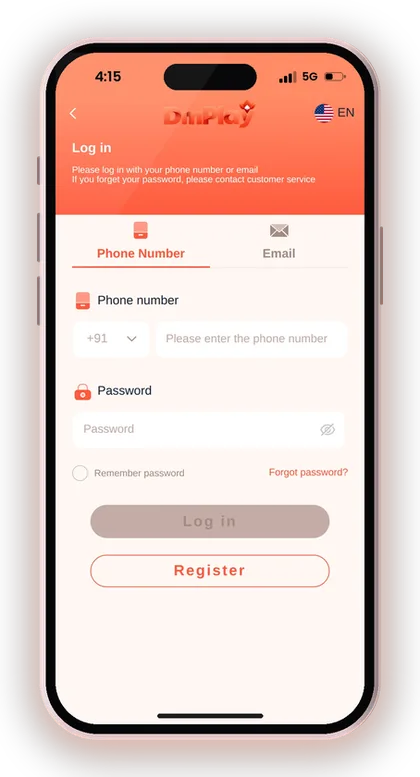
Once the app opens, tap Register at the bottom of the login screen. You can sign up with your phone number (the +91 code is already there) or with an email. The Invite Code field is compulsory, so you cannot finish registration without filling it.
Use a phone number that is in your own name and active, since the same number is often needed when you add a UPI or bank account later. Your password should be easy for you to remember but hard for others to guess.
- Tap Register on the app's login screen.
- Enter your phone number or switch to email.
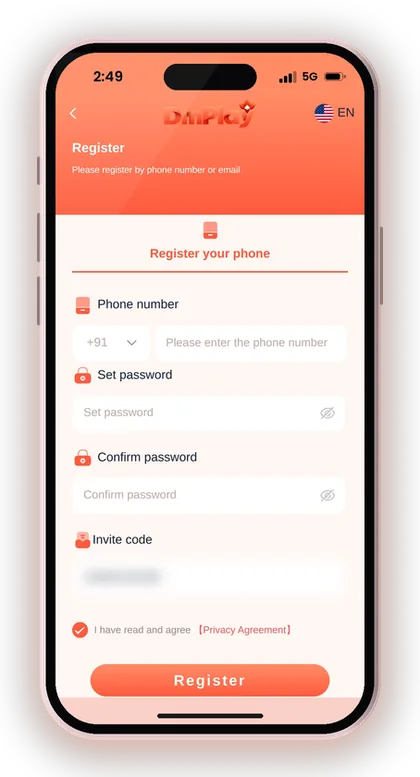
- Set your password, at least 6 characters.
- Type the same password again to confirm it.
- Enter 216651031605 in the Invite Code field.
- Check the box to confirm you accept the Privacy Agreement.
- Tap Register, then log in with the same details.
Useful Advice: Copy the invite code 216651031605 before opening the register page, so you can paste it and avoid typing mistakes.
The Download App Free Rs. 28 Activity
The Activity tab lists an offer called Download App Free Rs. 28, aimed at players who use the installed app. It is one of many offers on the same page, next to the First Deposit Bonus, Daily Check-In Bonus and Mission Bonus.
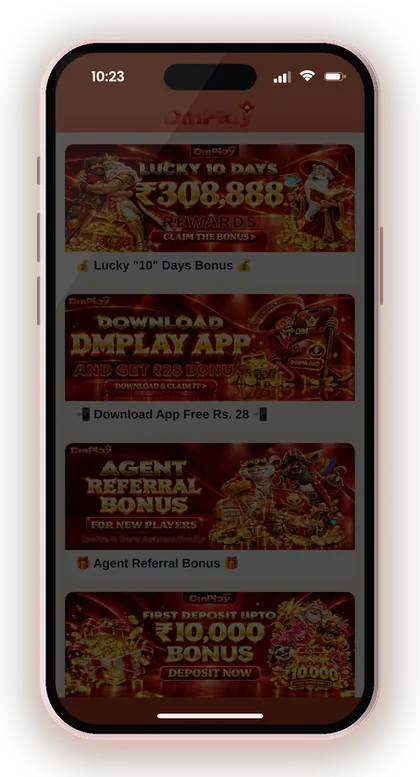
Open the offer card and read its rules before you expect the money. App rewards on platforms like this are usually checked against your account and device, so one person creating several accounts on one phone will not get it more than once and may lose all rewards.
Treat Rs. 28 as a small welcome bonus, and never let it tempt you into depositing beyond what you had planned. Every live offer and its terms are listed on the DM Play bonus page.
Why The App Bonus May Not Show Up
The most common reason is that the player opened the website in a browser instead of the installed app, or used the home screen shortcut. Log in through the APK itself and check the offer again.
If you have followed these steps and the reward is still not visible, open Bonus details on the Activity page to check your reward history. If it is still not there, contact Customer Service from the Account page and keep your user ID ready.
What To Set Up First In The DM Play App
Set up your withdrawal account first, before making the first deposit. Withdrawals need beneficiary details, and the recipient name you save at the start gets locked. Any withdrawal method you add afterwards must therefore use that very name.
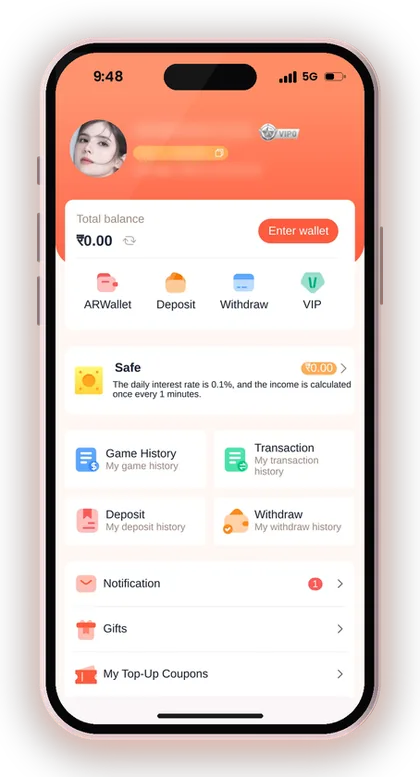
This is where many new players get stuck: they register, deposit, win, then add a bank account in a friend's name and cannot withdraw. Use your own UPI or bank account from the start. The step-by-step page on how to add a UPI ID or change bank details covers this in detail.
Some players prefer AR Wallet, which the platform describes as a third-party payment service for quick recharges and withdrawals that you sell back to rupees through UPI. If that interests you, read about DM Play ARPay and AR Wallet deposits before activating it.
- Your own name as the recipient, since it locks after the first save
- A UPI ID that is not just your phone number, as the app itself warns
- Correct IFSC code if you add a bank account
- A new, strong login password
Change Your Password After The First Login
Go to Account, tap the Settings icon, then Login Password, and set a stronger one. Do this early if you shared your phone while installing or typed the password in front of someone.
A strong password matters more on a money app than on a social app, because anyone with it can request a withdrawal to their own linked account. Never save it in a notes app that syncs with other people.
Useful Advice: Double-check the recipient name letter by letter before you tap Save, because you cannot edit it later yourself.
DM Play App Android Install Problems And Fixes
Most failed installs come down to three things: a blocked source, a half-downloaded file or an old version already on the phone. Each has a quick fix.
If nothing below works, use the Add to Desktop option for now and try the APK again later on Wi-Fi.
App Not Installed Error
This message typically points to an older app version still sitting on the phone, or to a download that did not complete. First uninstall the old app, remove the APK from Downloads, then download it once more from the website.
Also check free storage. Android needs space for both the file and the installed app, so clear some photos or unused apps if you are close to full.
Play Protect Blocks The File
Google Play Protect warns about any app not from the Play Store, and it may show a scan screen. If you downloaded from the real website, tap More details and then Install anyway.
Do not turn Play Protect off completely. It is a useful safety layer, and you only need to allow this one install, not every unknown file.
Forgot Password After Reinstalling
Reinstalling does not affect your account, but any saved login details get erased. On the login page, tap Forgot password and follow the steps, or contact customer service.
Your balance, game history and linked accounts stay on the server, so nothing is lost when you uninstall and reinstall the app.
Useful Advice: Stake only what you can afford to lose. DM Play is open to players above 18 only, and the outcome of every game is random.
Related DM Play Reads
For a shorter page with only the download button and install options, see the DM Play app download page. For guides on deposits, withdrawals, bonuses and games, browse the DM Play blog.
New players can also start from the DM Play register and login page, which covers signing up with the invite code 216651031605 and the main features in one place.
Doubts Cleared Here
Where is the DM Play APK download button?
It is the download icon at the upper right corner of the DM Play mobile website. Tapping it opens the download page, which offers Quick installation and Complete Installation.
Is the DM Play app on the Google Play Store?
The app is downloaded from the platform's own website as an APK. That is why Android asks you to allow installs from your browser once before it installs.
How do Quick installation and Complete Installation differ?
Your account, games and wallet are identical in both. Complete Installation puts a full app on your phone, whereas Quick installation is a faster, lighter pick for players who first want to try the platform.
Can I use DM Play without installing the APK?
Yes. Use the Add to Desktop option, or Add to Home screen in the Chrome menu, to put a shortcut on your phone that opens the mobile website.
Is an invite code required when signing up in the app?
Yes, the register page requires the Invite Code field. Type 216651031605 there, set your password, accept the Privacy Agreement and tap Register.
How do I get the Download App Free Rs. 28 bonus?
Log in through the installed app and open the Download App Free Rs. 28 card on the Activity page. Read its rules there, and contact Customer Service if the reward does not appear in Bonus details.
Will reinstalling the app delete my balance?
No. Your balance, history and linked payment accounts are stored with your account rather than on the phone. After reinstalling, you only have to log in again.
Are DM Play hack or predictor apps real?
No. Game results are random, and files sold as hacks or predictors are scams that steal logins and money. Install the app only from the download icon on the real website.
You May Also Like
DM Play app download in India: get the app from the official website, install it, register with invite code 216651031605 and claim the Rs. 28 app bonus.
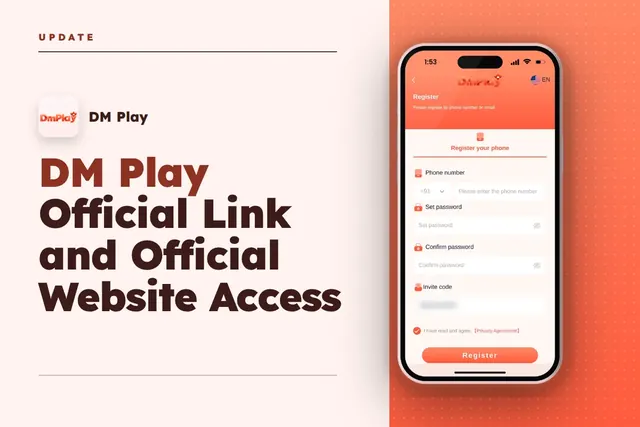
DM Play official link: open the real site, register with invite code 216651031605, log in, get the app and spot fake copies before you deposit.
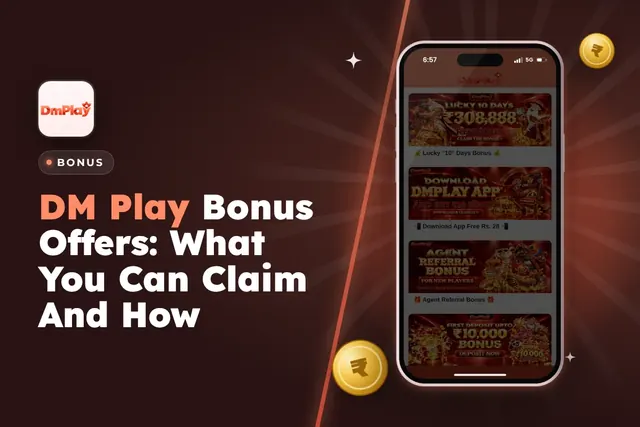
DM Play bonus offers for Indian players: new member package, 2% first deposit refund, invitation bonus, Super Jackpot, lucky wheel, gift codes and rules.
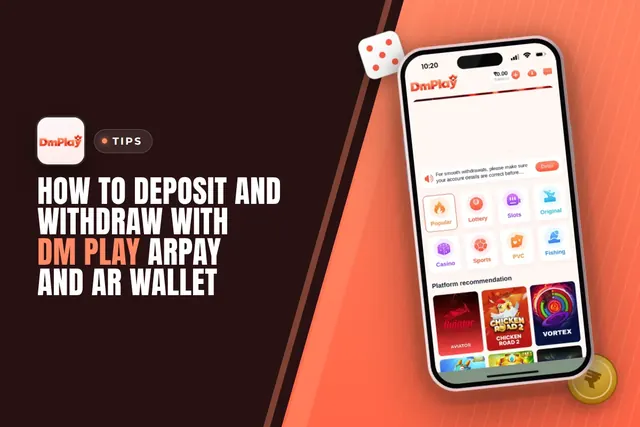
DM Play ARPay explained: how to activate AR Wallet, recharge in about 5 seconds, withdraw your balance and sell ARB through UPI for rupees.
Ready To Play On DM Play?
Register on DM Play in a minute and explore the games and offers.